 Firefox
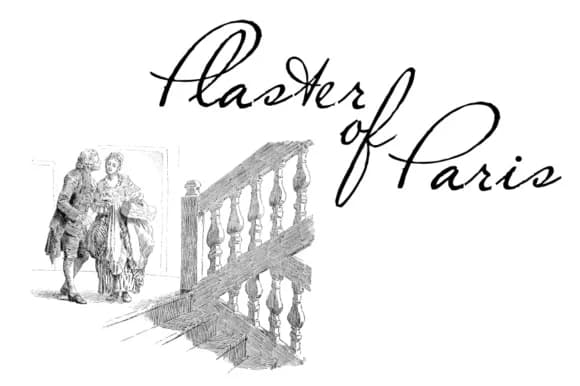
About Plaster of Paris Font
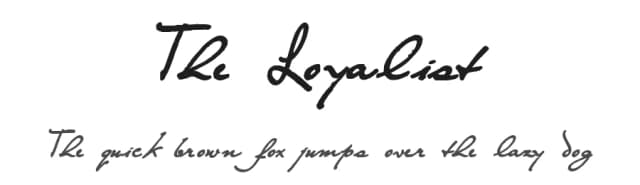
Plaster of Paris by Intellecta Design is a flowing, handwritten script that channels vintage charm and nostalgic character. The loose letterforms and dynamic rhythm create a distinctly retro aesthetic that works beautifully when you want to evoke a sense of timeless elegance. This script excels at capturing that authentic, hand-drawn quality for projects where historical authenticity matters. Vintage wedding stationery benefits from its organic feel, while retro album artwork and record sleeve designs gain an authentic yesterday appeal. The font also works wonderfully for creating antique label designs, think heritage product packaging, classic wine labels, or apothecary-style branding. Those designing restoration-era signage or period-accurate certificates will appreciate how naturally this typeface conveys aged sophistication without feeling forced or artificial. The handwritten nature of the letterforms means each letter carries personality and movement, making it ideal for applications where you want genuine character rather than corporate precision. Whether layered into vintage poster designs, incorporated into nostalgic invitation suites, or used for heritage brand packaging projects, Plaster of Paris delivers consistent warmth and authenticity. The design maintains legibility while preserving that essential handmade quality throughout. If your next project calls for a typeface that genuinely feels like it belongs in a different era, grab Plaster of Paris from Creative Fabrica.
Style & Use Cases
- Overall Style
- Elegant, Flowing, Plaster Of Paris
- Use Case
- Invitations, Branding
- Ideal For
- wedding stationery, greeting cards, and signatures
- Pairs With
- a simple uppercase sans
How to Install Plaster of Paris Font Font
Step-by-step instructions for every platform
- 1Download the Plaster of Paris Font font file (.ttf or .otf).
- 2Locate the downloaded file in your Downloads folder.
- 3Right-click the font file.
- 4Select "Install" to install for the current user, or "Install for all users" to make it available system-wide.
- 5Plaster of Paris Font is now available in Word, Photoshop, Illustrator, and all other apps.
More by Intellecta Design
View all →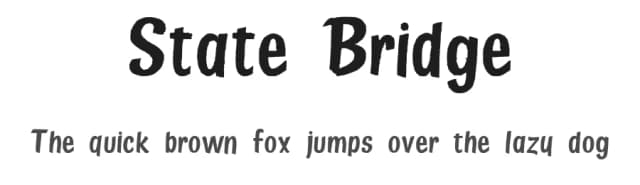
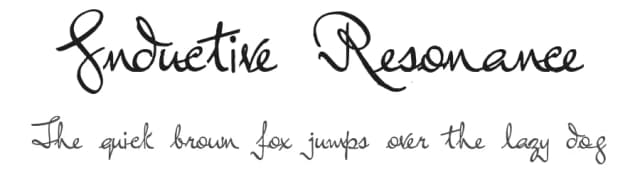
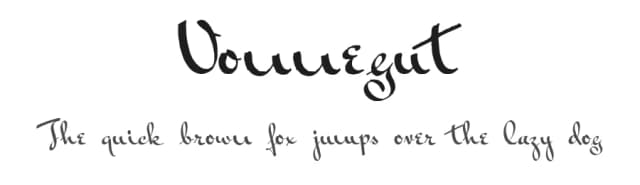
Browse fonts by theme
Curated collections →Saw a font in a picture? Identify any font from an image with our free Font Finder.
More Script Handwritten Fonts
Browse all →







What pairs well with Plaster of Paris Font?
Plaster of Paris Font is a script font that shines as a display or heading face. Pair it with a clean sans-serif or serif font for body text — the contrast creates a clear hierarchy while the two styles stay balanced and easy to read.



Plaster of Paris Font
Reviewed by the FontBoxDL team · Updated May 2026