 Firefox
 1 / 6
1 / 6About Pevanytta Script Font
The letterforms in Pevanytta Script, from Bluestype Studio, flow with an organic, hand-drawn quality that makes each character feel intentional rather than algorithmically generated. There's subtle variation built in, which keeps it from looking stiff or over-digitized, but the spacing is tight enough that you can actually read it without squinting. That balance between handwritten warmth and genuine legibility is what makes this script work across so many different applications.
That versatility explains why Pevanytta fits wedding invitations, Etsy product labels, boutique packaging, event posters, podcast artwork, and small business branding equally well. You get handcrafted energy without sacrificing clarity. It also works for social media graphics and blog headers where smaller text still needs to land. The spacing is generous enough to maintain readability even at smaller sizes, which matters when you're juggling multiple projects.
The real win is that Pevanytta does handmade without abandoning usability. Designers often face a choice between personality and readability, but this script doesn't demand that compromise. It's built for work that needs to feel made by humans rather than assembled from templates. If you're building a brand with character or creating pieces that need both charm and legibility, grab it on Creative Fabrica and add it to your toolkit.
Style & Use Cases
- Overall Style
- Elegant, Flowing
- Use Case
- Invitations, Branding
- Ideal For
- wedding stationery, greeting cards, and signatures
- Pairs With
- a simple uppercase sans
How to Install Pevanytta Script Font Font
Step-by-step instructions for every platform
- 1Download the Pevanytta Script Font font file (.ttf or .otf).
- 2Locate the downloaded file in your Downloads folder.
- 3Right-click the font file.
- 4Select "Install" to install for the current user, or "Install for all users" to make it available system-wide.
- 5Pevanytta Script Font is now available in Word, Photoshop, Illustrator, and all other apps.
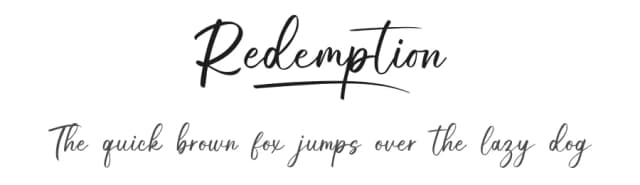
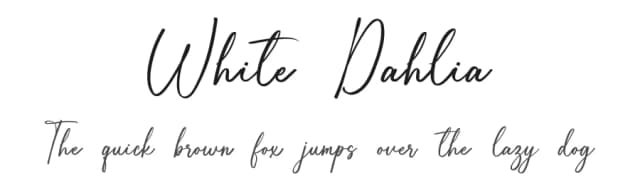
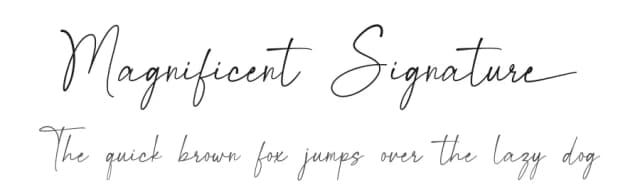
More by Bluestype Studio
View all →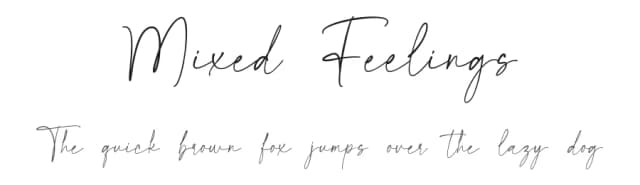
Browse fonts by theme
Curated collections →Saw a font in a picture? Identify any font from an image with our free Font Finder.
More Script Handwritten Fonts
Browse all →







What pairs well with Pevanytta Script Font?
Pevanytta Script Font is a script font that shines as a display or heading face. Pair it with a clean sans-serif or serif font for body text — the contrast creates a clear hierarchy while the two styles stay balanced and easy to read.



Pevanytta Script Font
Reviewed by the FontBoxDL team · Updated September 2026