 Firefox
 1 / 7
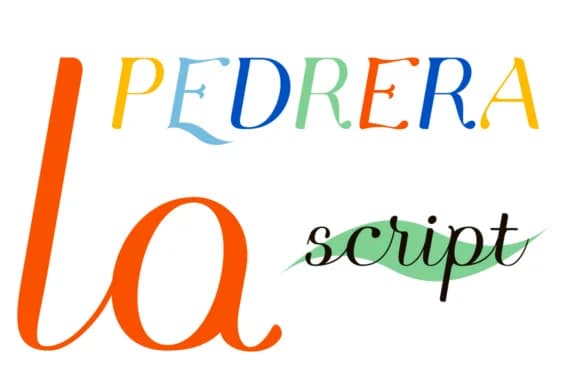
1 / 7About Pedrera Font
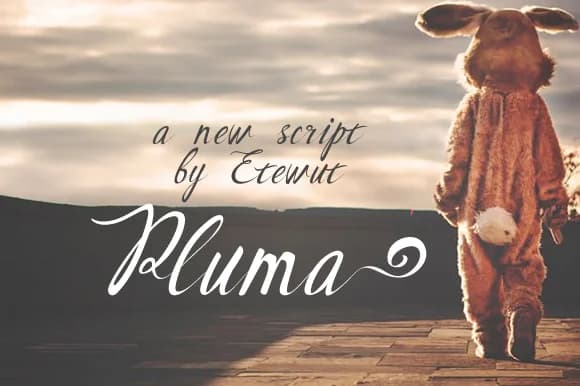
Pedrera Font by Etewut is a bold, casual handwritten script that brings genuine warmth and distinctive character to typographic work across design disciplines. With its vintage-inspired letterforms and approachable style, this typeface successfully bridges nostalgic sensibilities with contemporary visual communication, making it equally effective in retro poster compositions and modern editorial layouts alike. The font excels at delivering a human, hand-drawn touch to projects demanding personality and visual distinction. Whether you're designing vintage product label collections, crafting bohemian wedding stationery suites, creating retro-styled branding systems, or developing antique aesthetic packaging designs, Pedrera's bold weight ensures each letterform carries presence and impact while maintaining excellent readability. The authentic handwritten character makes it particularly valuable for decorative typography applications and heritage brand materials that benefit from an organic, drawn-by-hand quality that resonates with audiences seeking nostalgic visual appeal. What sets Pedrera apart is its adaptability across niche creative spaces, it anchors editorial spreads with personality, enhances vintage-themed packaging, and breathes character into distinctive branding work. Available in bold weight, the letterforms maintain consistent quality whether used at display sizes or smaller point sizes, making it a reliable choice for designers needing authentic vintage aesthetics without compromising legibility. Add Pedrera Font to your creative toolkit on Creative Fabrica and discover how it transforms your vintage and retro design work.
Style & Use Cases
- Overall Style
- Elegant, Flowing, Pedrera Script
- Use Case
- Invitations, Branding
- Ideal For
- wedding stationery, greeting cards, and signatures
- Pairs With
- a simple uppercase sans
How to Install Pedrera Font Font
Step-by-step instructions for every platform
- 1Download the Pedrera Font font file (.ttf or .otf).
- 2Locate the downloaded file in your Downloads folder.
- 3Right-click the font file.
- 4Select "Install" to install for the current user, or "Install for all users" to make it available system-wide.
- 5Pedrera Font is now available in Word, Photoshop, Illustrator, and all other apps.
More by Etewut
View all →
Browse fonts by theme
Curated collections →Saw a font in a picture? Identify any font from an image with our free Font Finder.
More Script Handwritten Fonts
Browse all →







What pairs well with Pedrera Font?
Pedrera Font is a script font that shines as a display or heading face. Pair it with a clean sans-serif or serif font for body text — the contrast creates a clear hierarchy while the two styles stay balanced and easy to read.



Pedrera Font
by Etewut
Reviewed by the FontBoxDL team · Updated May 2026