 Firefox
 1 / 3
1 / 3Loading font…
About Okta Font
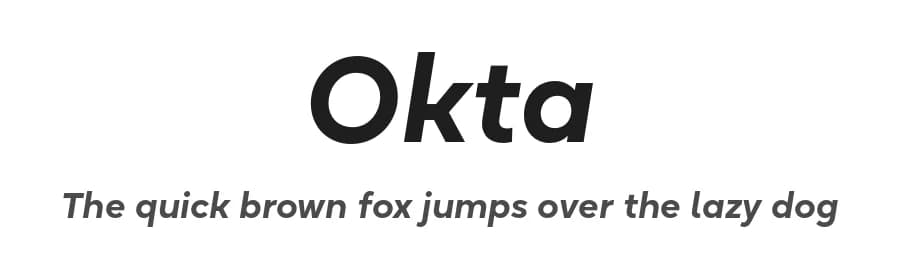
Okta is a geometric grotesk that comes both as a variable font and 22 static fonts: 11 uprights and 11 matching italics, which make it a great tool for those seeking a versatile font with a strong character and high legibility. Throw in a very pleasing look, elegant curves and a wide range of weights, and you'd get what Okta aspires to be: a perfect typographic tool for every need.In Okta, elegant geometric curves meet bold strokes and wide apertures. Round letters are nearly circular, but, to boost readability, slight changes were introduced for optical compensation. Okta is also equipped with amazing OpenType features: case sensitive punctuation, ligatures, fractions, superscript and subscript figures, two kinds of circular figures, stylistic & contextual alternatives and much more!
Okta supports all major European languages, as well as Vietnamese and some dozens of foreign languages that you may encounter in your designs. We've got all that covered. The glyph count for each of the styles is 800+ characters.
Two styles (Extra Light and Bold Italic) are free to try and experiment with. If you need wide language support and more extensive OpenType features, consider taking a look at Okta Neue, a bigger version of the classic Okta.
Style & Use Cases
- Overall Style
- Heavy, Clean, Modern, Basic
- Use Case
- Body Text, UI
- Ideal For
- branding, interfaces, and modern layouts
- Pairs With
- a contrasting serif for headings
Similar Fonts
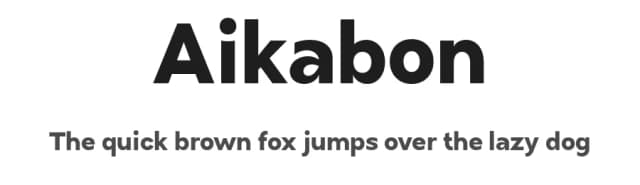
Fonts that look visually alike — matched by our Font Finder model.



Okta Specifications
| Font Family | Okta Bold |
| Style | Italic |
| Full Name | Okta Bold Italic |
| Version | 4.000 |
| Weight | 800 (ExtraBold) |
| Glyph Count | 802 glyphs |
| PostScript Name | Okta-BdIt |
| Designer | Eugene Tantsurin |
| Format | OTF (CFF) |
| File Size | 143.4 KB |
OpenType Features
Okta ships with 13 OpenType features you can switch on in apps that support them (Illustrator, InDesign, Affinity, Figma, CSS font-feature-settings).
- Case-sensitive forms
- Fractions
- Standard ligatures
- Lining figures
- Old-style figures
- Ordinals
- Proportional figures
- Stylistic alternates
- Scientific inferiors
- Subscripts
- Superscripts
- Tabular figures
- Stylistic sets (5)
Languages Supported
Okta supports 323 languages.
How to Install Okta Font
Step-by-step instructions for every platform
- 1Download the Okta font file (.ttf or .otf).
- 2Locate the downloaded file in your Downloads folder.
- 3Right-click the font file.
- 4Select "Install" to install for the current user, or "Install for all users" to make it available system-wide.
- 5Okta is now available in Word, Photoshop, Illustrator, and all other apps.
Browse fonts by theme
Curated collections →Saw a font in a picture? Identify any font from an image with our free Font Finder.
More Sans Serif Fonts
Browse all →
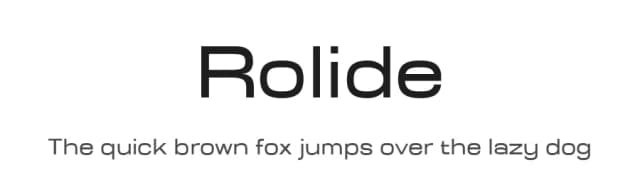
What pairs well with Okta Font?
Okta Font is a versatile sans-serif font that works for both headings and body text. Pair it with a contrasting serif or slab serif font to add visual interest and a clear distinction between titles and body copy.


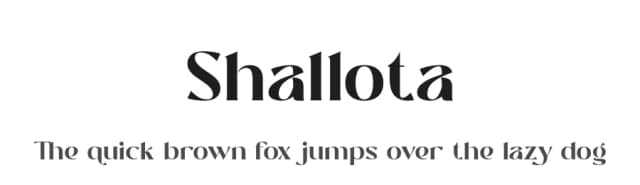

Premium Sans Serif Fonts
★ PremiumWant something with more weights, glyphs, and commercial polish? These premium sans serif fonts are worth a look.


Okta Font
Reviewed by the FontBoxDL team · Updated July 2026
License: Demo