 Firefox
 1 / 9
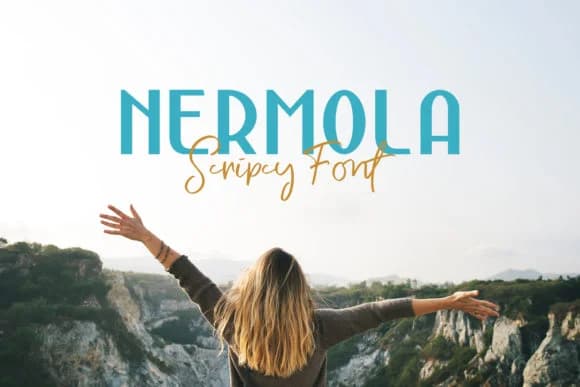
1 / 9About Nermola Duo Font
The script features organic, hand-drawn letterforms with natural pen rhythm, while the sans serif brings geometric precision and clean modern structure. Nermola Duo, designed by Alit Design, pairs these two complementary fonts to give you creative flexibility in a single package.
This two-font approach opens real creative possibilities. Wedding invitation suites work well when you set vows or names in the script while keeping RSVP details legible in the sans serif. Event posters gain character by using the script as a headline with the sans serif for dates and logistics. Boutique skincare or product label design benefits from the handwritten warmth of the script paired with the sans serif's modern credibility. Greeting cards, brand identity suites, and hand-lettered social media graphics all strengthen when you layer these two styles with intention.
The font includes italic versions of both styles, offering additional styling options without needing separate typeface families. This makes it ideal for designers and small business owners building consistent brand systems or anyone tackling projects where script and sans serif need to feel intentional rather than mismatched. Find Nermola Duo on Creative Fabrica.
Style & Use Cases
- Overall Style
- Elegant, Flowing, Nermola Script
- Use Case
- Invitations, Branding
- Ideal For
- wedding stationery, greeting cards, and signatures
- Pairs With
- a simple uppercase sans
How to Install Nermola Duo Font Font
Step-by-step instructions for every platform
- 1Download the Nermola Duo Font font file (.ttf or .otf).
- 2Locate the downloaded file in your Downloads folder.
- 3Right-click the font file.
- 4Select "Install" to install for the current user, or "Install for all users" to make it available system-wide.
- 5Nermola Duo Font is now available in Word, Photoshop, Illustrator, and all other apps.
More by Alit Design
View all →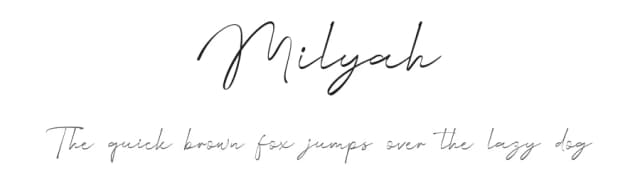
Browse fonts by theme
Curated collections →Saw a font in a picture? Identify any font from an image with our free Font Finder.
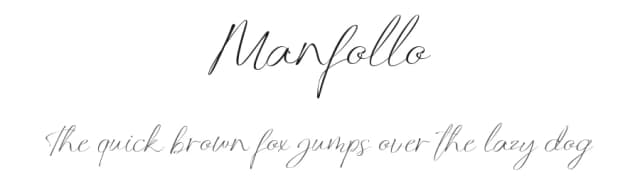
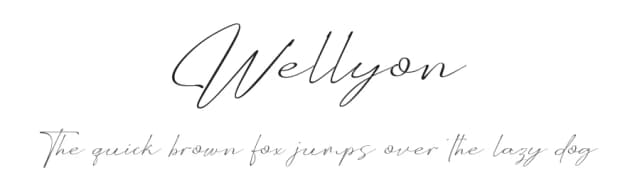
More Script Handwritten Fonts
Browse all →







What pairs well with Nermola Duo Font?
Nermola Duo Font is a script font that shines as a display or heading face. Pair it with a clean sans-serif or serif font for body text — the contrast creates a clear hierarchy while the two styles stay balanced and easy to read.



Nermola Duo Font
by Alit Design
Reviewed by the FontBoxDL team · Updated August 2026