 Firefox
 1 / 7
1 / 7About My Diarys Font
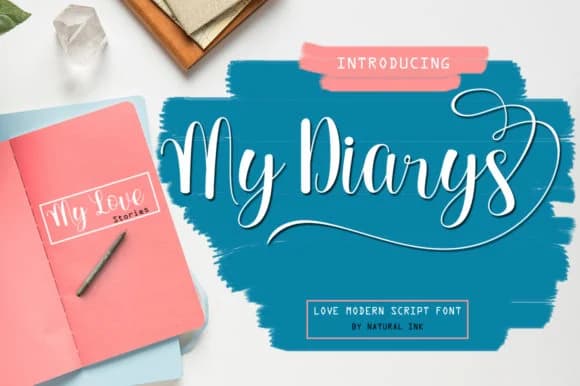
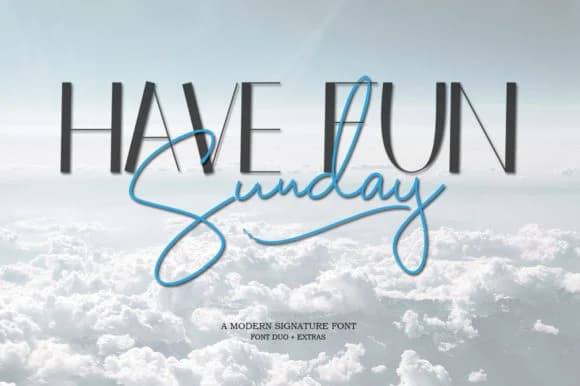
You're designing an invitation suite for a luxury wedding planner and need something that feels handwritten but refined. My Diarys Font by Natural Ink brings a modern calligraphy sensibility without the brittleness of some script fonts. The letterforms flow naturally and maintain readability at both small and large scales, reading as contemporary rather than overly formal.
The real strength shows up in applications where a personal, human touch matters. Picture high-end beauty bottle labels for boutique skincare brands, elegant stationery suites for florists or event planners, restaurant table cards with custom monograms, and hand-drawn style logos for creative studios. Its swashes are built in intentionally, so you can deploy them selectively or let them run throughout your layouts. The flexibility matters when you're juggling legibility with personality.
What makes it practical is the balance between personality and legibility at different scales. You can run it large on a diploma or poster and the curves hold their shape beautifully. Drop it to smaller sizes for business cards destined for a letterpress shop and everything resolves cleanly. That versatility across point sizes is what keeps this font useful in real work. Grab it on Creative Fabrica when you're ready to test it on a real project.
Style & Use Cases
- Overall Style
- Elegant, Flowing, My Diarys
- Use Case
- Invitations, Branding
- Ideal For
- wedding stationery, greeting cards, and signatures
- Pairs With
- a simple uppercase sans
How to Install My Diarys Font Font
Step-by-step instructions for every platform
- 1Download the My Diarys Font font file (.ttf or .otf).
- 2Locate the downloaded file in your Downloads folder.
- 3Right-click the font file.
- 4Select "Install" to install for the current user, or "Install for all users" to make it available system-wide.
- 5My Diarys Font is now available in Word, Photoshop, Illustrator, and all other apps.
More by Natural Ink
View all →
Browse fonts by theme
Curated collections →Saw a font in a picture? Identify any font from an image with our free Font Finder.
More Script Handwritten Fonts
Browse all →







What pairs well with My Diarys Font?
My Diarys Font is a script font that shines as a display or heading face. Pair it with a clean sans-serif or serif font for body text — the contrast creates a clear hierarchy while the two styles stay balanced and easy to read.



My Diarys Font
by Natural Ink
Reviewed by the FontBoxDL team · Updated May 2026