 Firefox
 1 / 8
1 / 8About Mount Font
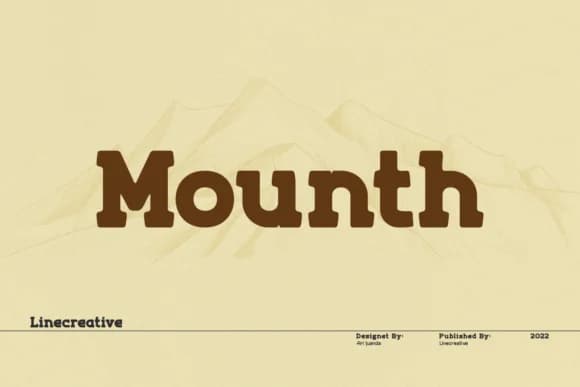
Mount by Line creative is a bold slab-serif typeface built for commanding layouts and distinctive branding. The rounded letterforms and deliberately rough edges give it a friendly yet authoritative presence, making it ideal for eye-catching poster typography, vintage-inspired logo design, and packaging headlines for indie cosmetics or craft beverage brands.
This font works equally well as a display typeface for editorial spreads and magazine covers, or as a solid choice for signage that needs to make an immediate impact. The balance between geometrical structure and organic imperfection creates visual interest that holds up at both large and small sizes. Its chunky serifs and approachable character set Mount apart from cleaner slab options, working particularly well for retro or contemporary projects that need genuine personality without sacrificing readability.
Record labels, boutique bakeries, indie beauty brands, and social media campaigns all benefit greatly from Mount's natural warmth and confidence. The font's distinctive character works well for brands seeking to feel both established and approachable at once. You'll find it performs equally well at large display sizes and smaller runs where texture and personality matter most. Pick it up on Creative Fabrica and start layering this typeface into your next project.
Style & Use Cases
- Overall Style
- Sturdy, Confident, Typography
- Use Case
- Headlines, Merch
- Ideal For
- vintage posters, logos, and product packaging
- Pairs With
- a light sans-serif
How to Install Mount Font
Step-by-step instructions for every platform
- 1Download the Mount font file (.ttf or .otf).
- 2Locate the downloaded file in your Downloads folder.
- 3Right-click the font file.
- 4Select "Install" to install for the current user, or "Install for all users" to make it available system-wide.
- 5Mount is now available in Word, Photoshop, Illustrator, and all other apps.
More by Line creative
View all →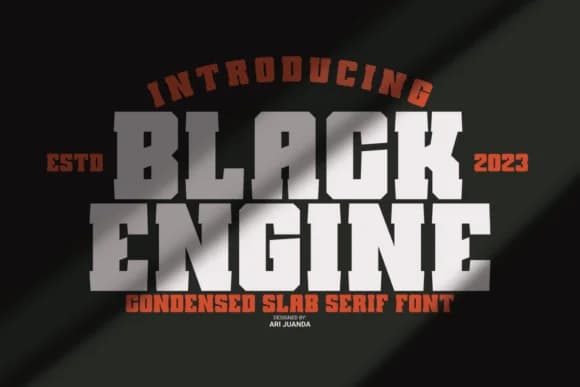


Browse fonts by theme
Curated collections →Saw a font in a picture? Identify any font from an image with our free Font Finder.
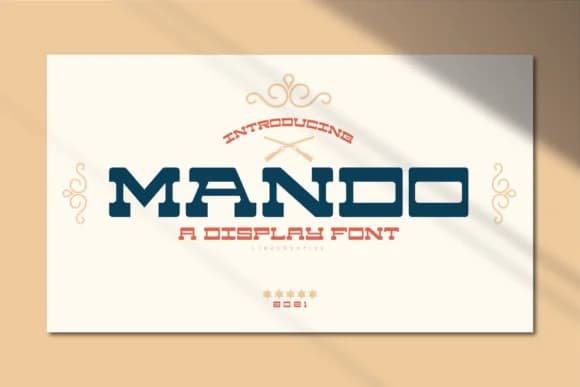
More Slab Serif Fonts
Browse all →







What pairs well with Mount Font?
Mount Font is a slab serif font that shines as a display or heading face. Pair it with a clean sans-serif or serif font for body text — the contrast creates a clear hierarchy while the two styles stay balanced and easy to read.



Mount Font
Reviewed by the FontBoxDL team · Updated September 2026