 Firefox
 1 / 8
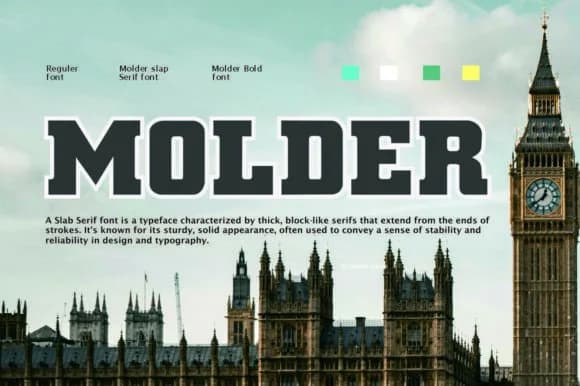
1 / 8About Molder Font
Molder Bold presents the classic slab serif signature: thick geometric letterforms with hefty horizontal serifs that deliver impact through pure weight. Aqeela Studio designed the typeface to sit between sculptural and functional, letting each letter land with presence while staying legible at any scale. The bold weight keeps everything grounded and readable whether printed large or nestled into a busy composition.
This font excels in brand identity work, logotypes for creative agencies and lifestyle brands, poster designs with real typographic authority, and packaging labels where the typeface becomes part of the brand identity itself. Designers reach for Molder when working on craft beverage labels, music event flyers, luxury skincare and wellness packaging, editorial headlines, or restaurant branding where type signals craftsmanship and quality. The design bridges geometric precision and classical slab serif warmth, which means it partners well with contemporary sans-serifs or serif body copy depending on the project needs.
Molder speaks to anyone building a brand system where typography carries the load. Get it on Creative Fabrica and start using it for projects that need visual weight and personality.
Style & Use Cases
- Overall Style
- Sturdy, Confident, Alphabet
- Use Case
- Headlines, Merch
- Ideal For
- vintage posters, logos, and product packaging
- Pairs With
- a light sans-serif
How to Install Molder Font
Step-by-step instructions for every platform
- 1Download the Molder font file (.ttf or .otf).
- 2Locate the downloaded file in your Downloads folder.
- 3Right-click the font file.
- 4Select "Install" to install for the current user, or "Install for all users" to make it available system-wide.
- 5Molder is now available in Word, Photoshop, Illustrator, and all other apps.
More by Aqeela Studio
View all →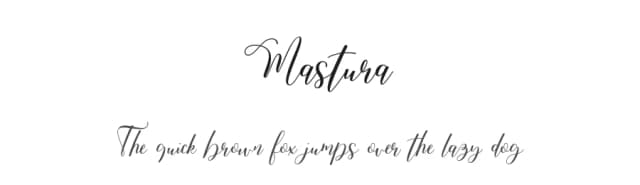
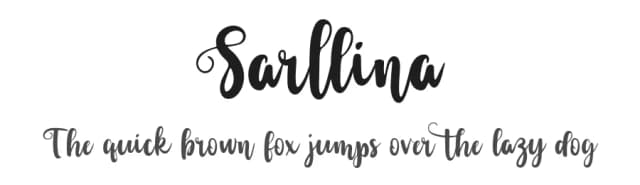
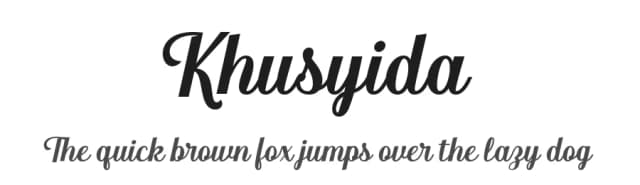
Browse fonts by theme
Curated collections →Saw a font in a picture? Identify any font from an image with our free Font Finder.
More Slab Serif Fonts
Browse all →







What pairs well with Molder Font?
Molder Font is a slab serif font that shines as a display or heading face. Pair it with a clean sans-serif or serif font for body text — the contrast creates a clear hierarchy while the two styles stay balanced and easy to read.



Molder Font
Reviewed by the FontBoxDL team · Updated August 2026