 Firefox
 1 / 9
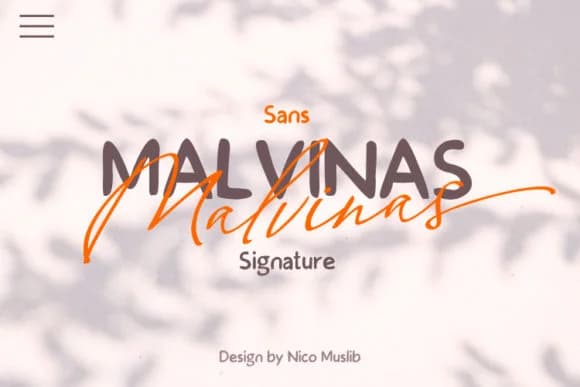
1 / 9About Malvinas Duo Font
Malvinas Duo, crafted by designer Nico Muslib, merges a flowing script with a geometric sans serif, two voices that work as one system. The script moves with natural rhythm while holding legibility intact, and the sans brings clean confidence to every line. Together they create a dual-tone toolkit that solves real design problems.
Wedding invitation suites work beautifully with this pairing, using the script for display lines and announcements while the sans handles body text, logistics, and details with clarity. Boutique product labels and specialty packaging gain real personality without losing scanability or impact. Event posters and promotional work balance visual sophistication against presence when both faces interact together. Branding systems that need both elegance and structure benefit from this approach, sidestepping the jarring feeling of pairing typefaces that lack cohesion. Both faces share consistent proportions and baseline alignment, so switching between them reads as intentional and unified rather than random or clashing.
Alternates throughout the script prevent repetition across longer passages, keeping handwritten sections feeling fresh even when letters repeat. Designers building cohesive systems will find genuine value in this pairing rather than reaching for random combinations. Grab Malvinas Duo on Creative Fabrica and explore how paired voices can strengthen your work.
Style & Use Cases
- Overall Style
- Elegant, Flowing, Malvinas Sign
- Use Case
- Invitations, Branding
- Ideal For
- wedding stationery, greeting cards, and signatures
- Pairs With
- a simple uppercase sans
How to Install Malvinas Duo Font Font
Step-by-step instructions for every platform
- 1Download the Malvinas Duo Font font file (.ttf or .otf).
- 2Locate the downloaded file in your Downloads folder.
- 3Right-click the font file.
- 4Select "Install" to install for the current user, or "Install for all users" to make it available system-wide.
- 5Malvinas Duo Font is now available in Word, Photoshop, Illustrator, and all other apps.
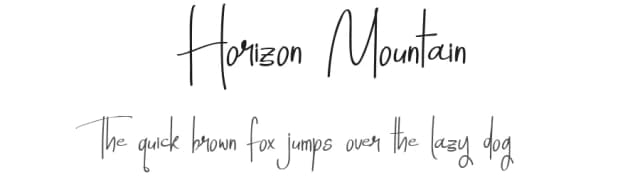
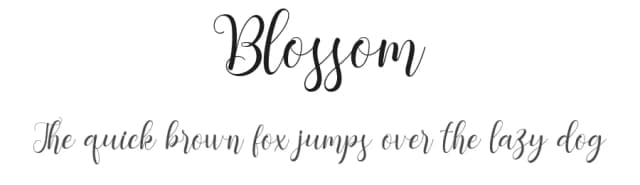
More by Nico Muslib
View all →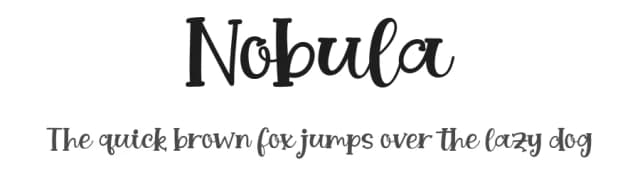
Browse fonts by theme
Curated collections →Saw a font in a picture? Identify any font from an image with our free Font Finder.
More Script Handwritten Fonts
Browse all →







What pairs well with Malvinas Duo Font?
Malvinas Duo Font is a script font that shines as a display or heading face. Pair it with a clean sans-serif or serif font for body text — the contrast creates a clear hierarchy while the two styles stay balanced and easy to read.



Malvinas Duo Font
by Nico Muslib
Reviewed by the FontBoxDL team · Updated September 2026