 Firefox
 1 / 6
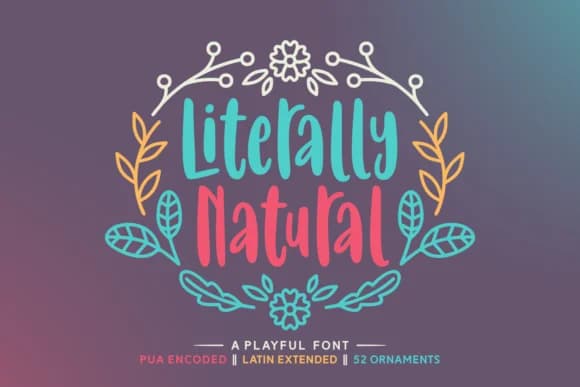
1 / 6About Literally Natural Font
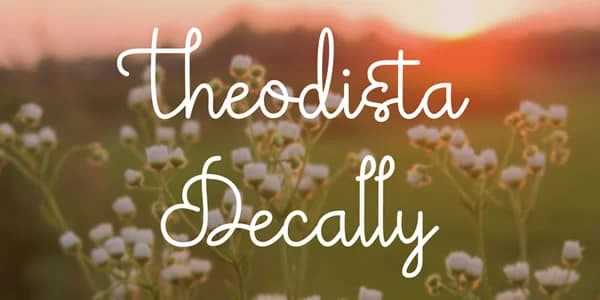
There's something effortless about the way this font moves across a page. Literally Natural, designed by Situjuh, captures that organic, hand-drawn quality that feels both personal and polished. It's the kind of typeface that pulls you in because it looks genuinely made by human hands, not generated by a computer.
The script opens up real design possibilities across multiple categories. Wedding invitation suites benefit from the romantic but natural feel, while greeting card designs shine with the whimsical character, especially for nature-themed or seasonal projects. It's equally at home on botanical product labels for artisan skincare and soap brands, or plant nursery signage where authenticity really matters. DIY craft enthusiasts and scrapbooking layouts get a huge boost from its casual warmth and personality. The letterforms have just enough distinctive character without sacrificing legibility, which is actually harder to pull off than it sounds in handwritten script fonts.
Pair it with a clean, minimal sans-serif for body copy or secondary information. That contrast between the flowing script and geometric simplicity creates breathing room and keeps designs feeling accessible. You'll find Literally Natural on Creative Fabrica, ready to bring that hand-crafted, natural touch to your next project.
Style & Use Cases
- Overall Style
- Elegant, Flowing, Literally Natural
- Use Case
- Invitations, Branding
- Ideal For
- wedding stationery, greeting cards, and signatures
- Pairs With
- a simple uppercase sans
How to Install Literally Natural Font Font
Step-by-step instructions for every platform
- 1Download the Literally Natural Font font file (.ttf or .otf).
- 2Locate the downloaded file in your Downloads folder.
- 3Right-click the font file.
- 4Select "Install" to install for the current user, or "Install for all users" to make it available system-wide.
- 5Literally Natural Font is now available in Word, Photoshop, Illustrator, and all other apps.
Browse fonts by theme
Curated collections →Saw a font in a picture? Identify any font from an image with our free Font Finder.
More Script Handwritten Fonts
Browse all →







What pairs well with Literally Natural Font?
Literally Natural Font is a script font that shines as a display or heading face. Pair it with a clean sans-serif or serif font for body text — the contrast creates a clear hierarchy while the two styles stay balanced and easy to read.



Literally Natural Font
by Situjuh
Reviewed by the FontBoxDL team · Updated June 2026