 Firefox
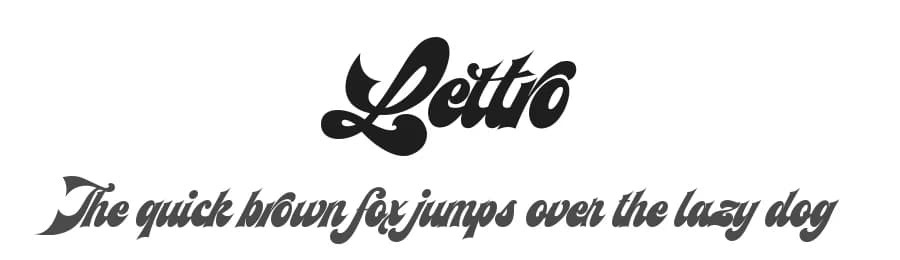 1 / 3
1 / 3Loading font…
About Lettro Font
By installing or using this font, you are agree to the Product Usage Agreement:
- This demo font is ONLY FOR PERSONAL USE. NO COMMERCIAL USE ALLOWED!
- Here is the link to purchase full version and commercial license:
https://crmrkt.com/2d0O6R
- For Corporate use you have to purchase Corporate license please contact us: at
[email protected]
- If you need a custom license please contact us: at
[email protected]
- Any donation are very appreciated. Paypal account for donation:
https://paypal.me/bpkedypurwanto
- Follow our instagram for update : @ardana619
___
Dengan menginstal atau menggunakan font ini, Anda menyetujui Perjanjian Penggunaan Produk:
- Font demo ini HANYA UNTUK PENGGUNAAN PRIBADI. TIDAK DIPERBOLEHKAN PENGGUNAAN KOMERSIAL!
- Berikut adalah tautan untuk membeli versi lengkap dan lisensi komersial:
https://crmrkt.com/2d0O6R
- Untuk penggunaan Perusahaan, Anda harus membeli lisensi Perusahaan, silakan hubungi kami: di
[email protected]
More...
- Jika Anda memerlukan lisensi khusus, silakan hubungi kami: di
[email protected]
- Setiap sumbangan sangat dihargai. Akun Paypal untuk donasi:
https://paypal.me/bpkedypurwanto
- Follow instagram kami untuk update : @ardana619
___
Make your own retro design with Lettro Font!
Lettro is an exquisite bold script typeface inspired by the retro design from 70-80-ish.
Lettro is created with a ton of stylistic alternates, swashes, and ligatures, and also comes with 5 total Layered fonts: Regular, Extrude, Extrude Outline, Double Extruded, and Double Extruded Outline. Perfect fitted layer to give you more contrast, more bold look of the title. Every glyph for alternates is curated for the best and possible without eliminating the characteristic of these fonts!
Combine that many styles and create an awesome retro design!
This retro typeface is perfect for logotypes, t-shirts, vintage badges, retro quotes, branding, packaging, posters, signboards, social media needs, etc.
Lettro features:
A full set of uppercase & lowercase characters
Layered Style
Numbers & punctuation
Multilingual language support
PUA Encoded Characters
OpenType Features
+563 Total Glyphs
+212 Stylistic Alternates
+49 Ligatures
+47 Swashes and more (Shiny and Spray Effect Included!)
Lettro includes:
Lettro Regular (OTF, TTF, WOFF)
Lettro Extruded (OTF, TTF, WOFF)
Lettro Extruded Outline (OTF, TTF, WOFF)
Lettro Double Extruded (OTF, TTF, WOFF)
Lettro Double Extruded Outline (OTF, TTF, WOFF)
⚠️To enable the OpenType Stylistic alternates, you need a program that supports OpenType features such as Adobe Illustrator CS, Adobe InDesign & CorelDraw X6-X7, Microsoft Word 2010, or later versions. There are additional ways to access alternates/swashes, using Character Map (Windows), Nexus Font (Windows), Font Book (Mac), or a software program such as Pop Char (for Windows and Mac).
⚠️For more information about accessing alternative, you can see this link:
http://adobe.ly/1m1fn4Y
🔑**Important tutorial from the author:**
Tutorial for Mollusca font trio:
https://lnkd.in/d984CQD6
How to use Midway | Retro Script Font on illustrator:
https://lnkd.in/eusbZd7s
How to use Midway | Retro Script Font on Photoshop:
https://lnkd.in/evsYrwgs
❤️**Get in touch with the author:**
**Instagram:**
https://www.instagram.com/ardana619
**Behance:**
https://www.behance.net/ardana619
📢**Shout out to:**
https://unsplash.com
(for awesome photos)
https://graphicburger.com
(for outstanding mockups)
🔥Thank you for purchasing our product, hope you like and have fun with our product. If you have any queries, questions, or issues, please don't hesitate to contact us directly. If you are satisfied with our product, please give 5 stars rating.
**After you rate our product to 5 stars, just reach us by email and you will get your bonus!** 🔥
*Happy Designing...*😊
Style & Use Cases
- Overall Style
- Elegant, Flowing, Script
- Use Case
- Invitations, Branding
- Ideal For
- wedding stationery, greeting cards, and signatures
- Pairs With
- a simple uppercase sans
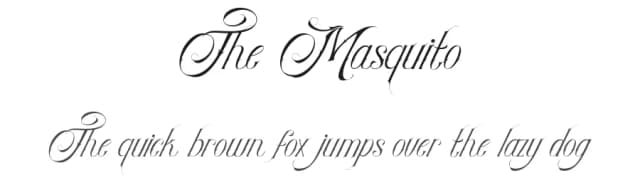
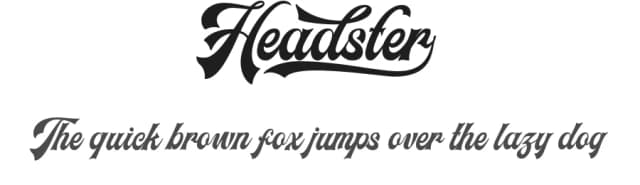
Similar Fonts
Fonts that look visually alike — matched by our Font Finder model.



Lettro Specifications
| Font Family | Lettro |
| Style | Regular |
| Full Name | Lettro |
| Version | 1.000 |
| Weight | 400 (Regular) |
| Glyph Count | 237 glyphs |
| PostScript Name | Lettro |
| Designer | Ferry Ardana Putra |
| Format | TTF (TrueType) |
| File Size | 496.7 KB |
OpenType Features
Lettro ships with 2 OpenType features you can switch on in apps that support them (Illustrator, InDesign, Affinity, Figma, CSS font-feature-settings).
- Standard ligatures
- Stylistic sets (1)
Languages Supported
Lettro supports 215 languages.
How to Install Lettro Font
Step-by-step instructions for every platform
- 1Download the Lettro font file (.ttf or .otf).
- 2Locate the downloaded file in your Downloads folder.
- 3Right-click the font file.
- 4Select "Install" to install for the current user, or "Install for all users" to make it available system-wide.
- 5Lettro is now available in Word, Photoshop, Illustrator, and all other apps.
More by Ferry Ardana Putra
View all →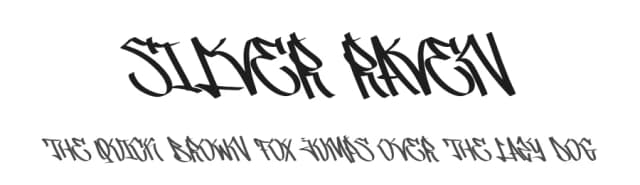
Browse fonts by theme
Curated collections →Saw a font in a picture? Identify any font from an image with our free Font Finder.
More Script Handwritten Fonts
Browse all →







What pairs well with Lettro Font?
Lettro Font is a script font that shines as a display or heading face. Pair it with a clean sans-serif or serif font for body text — the contrast creates a clear hierarchy while the two styles stay balanced and easy to read.



Premium Script Handwritten Fonts
★ PremiumWant something with more weights, glyphs, and commercial polish? These premium script handwritten fonts are worth a look.
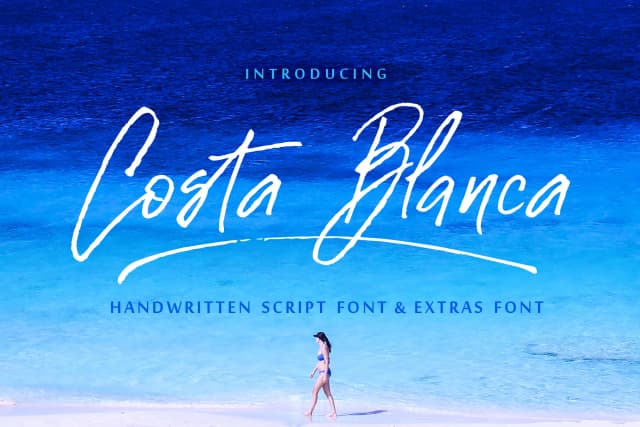

Lettro Font
Reviewed by the FontBoxDL team · Updated June 2026
License: Free for personal use