
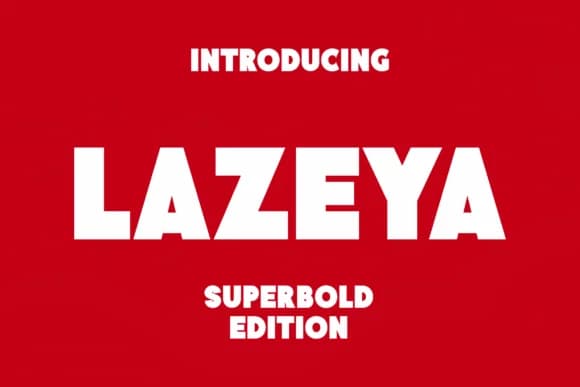
 1 / 6
1 / 6About Lazeya Font
Picture yourself designing a hardcover book jacket or laying out the front spread of a literary magazine. Lazeya, created by Monoletter, is the slab-serif typeface built specifically for these high-stakes editorial moments. With its heavy strokes and geometric confidence, it excels at both print and editorial work where visual weight and legibility need to work in perfect tandem. Magazine cover headlines, book spine lettering, poster designs for cultural events, religious or scriptural typography, and luxury branding are spaces where this font truly proves its value and commanding presence.
The typeface's substantial presence translates effectively across different scales and applications without sacrificing clarity or visual impact. You might employ it for gallery exhibition catalogs, boutique product packaging, hymnal typesetting, museum promotion materials, festival posters, or theatrical campaigns where the design calls for something bold yet measured. Its sturdy letterforms communicate real authority while remaining accessible and readable at multiple scales. Each stroke feels deliberate, built with clear purpose behind every curve.
The font holds its weight and maintains excellent clarity whether displayed at large display sizes or used in smaller editorial contexts. Get Lazeya from Creative Fabrica for your next book design, editorial project, independent publishing venture, or gallery exhibition that calls for real typographic weight.
Style & Use Cases
- Overall Style
- Sturdy, Confident, Lazeya
- Use Case
- Headlines, Merch
- Ideal For
- vintage posters, logos, and product packaging
- Pairs With
- a light sans-serif
How to Install Lazeya Font
Step-by-step instructions for every platform
- 1Download the Lazeya font file (.ttf or .otf).
- 2Locate the downloaded file in your Downloads folder.
- 3Right-click the font file.
- 4Select "Install" to install for the current user, or "Install for all users" to make it available system-wide.
- 5Lazeya is now available in Word, Photoshop, Illustrator, and all other apps.
More by Monoletter
View all →

Browse fonts by theme
Curated collections →Saw a font in a picture? Identify any font from an image with our free Font Finder.
More Slab Serif Fonts
Browse all →







What pairs well with Lazeya Font?
Lazeya Font is a slab serif font that shines as a display or heading face. Pair it with a clean sans-serif or serif font for body text — the contrast creates a clear hierarchy while the two styles stay balanced and easy to read.



Lazeya Font
by Monoletter
Reviewed by the FontBoxDL team · Updated August 2026