 Firefox
 1 / 3
1 / 3Loading font…
About Khansa Font
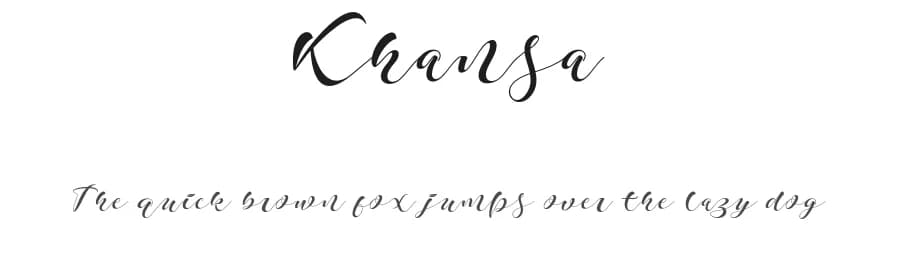
Khansa
Khansa a new fresh & modern script with a
handmade calligraphy style, decorative characters and a dancing
baseline! So beautiful on invitation like greeting cards, branding
materials, business cards, quotes, posters, logo and more!!
The alternative
characters were divided into several Open Type features such as Swash,
Stylistic Sets, Stylistic Alternates, Contextual Alternates. The Open
Type features can be accessed by using Open Type savvy programs such as
Adobe Illustrator, Adobe InDesign, Adobe Photoshop Corel Draw X version,
And Microsoft Word. And this Font has given PUA unicode (specially
coded fonts). so that all the alternate characters can easily be
accessed in full by a craftsman or designer.
Khansa :
Uppercase & Lowercase International Languange & Symbols
Support Punctuation & Number PUA Unicode Range Standard Stylistic
Alternates Stylistic Set 1-14 Character Variant Contextual.
The ZIP file are include the following :
Khansa.OTF
Khansa.TTF
If you don't have a program that supports OpenType features such as
Adobe Illustrator and CorelDraw X Versions, you can access all the
alternate glyphs using Font Book (Mac) or Character Map (Windows).
For use in office word, you all can read the following article.
http://www.magpiepaperworks.com/blog/using-opentype-fonts-in-microsoft-word/
More...
To Access Alternate Characters Click The Link Below:
http://theartistry.littlebigcrafter.com/community/the-ultimate-font-guide/
How to access alternates in Adobe illustrator CS
https://www.youtube.com/watch?v=geL0Ye02Ryk
How to access alternates in Adobe illustrator CC
https://www.youtube.com/watch?v=V25yiUh8BcE
How to access alternates in Ms Word
https://www.youtube.com/watch?v=HxkhZiCuwEw
How to access alternates in Coreldraw X7
https://www.youtube.com/watch?v=UBVsufJjons
How to access alternates in Adobe Photoshop CC
https://www.youtube.com/watch?v=BYKXl58AdNY
How to access alternates in Indesign CS
https://www.youtube.com/watch?v=HgZTCxKG14Q
Thanks and happy designing :-)
Thank You for purchase!
Style & Use Cases
- Overall Style
- Elegant, Flowing, Script
- Use Case
- Invitations, Branding
- Ideal For
- wedding stationery, greeting cards, and signatures
- Pairs With
- a simple uppercase sans
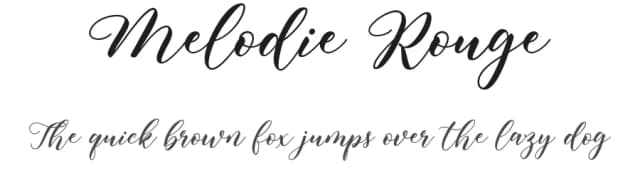
Similar Fonts
Fonts that look visually alike — matched by our Font Finder model.


Khansa Specifications
| Font Family | Khansa |
| Style | Regular |
| Full Name | Khansa-Regular |
| Version | 1.000 |
| Weight | 400 (Regular) |
| Glyph Count | 256 glyphs |
| PostScript Name | Khansa-Regular |
| Designer | Zulfikar Ali |
| Format | OTF (CFF) |
| File Size | 36.7 KB |
OpenType Features
Khansa ships with 2 OpenType features you can switch on in apps that support them (Illustrator, InDesign, Affinity, Figma, CSS font-feature-settings).
- Standard ligatures
- Stylistic sets (1)
Languages Supported
Khansa supports 212 languages.
How to Install Khansa Font
Step-by-step instructions for every platform
- 1Download the Khansa font file (.ttf or .otf).
- 2Locate the downloaded file in your Downloads folder.
- 3Right-click the font file.
- 4Select "Install" to install for the current user, or "Install for all users" to make it available system-wide.
- 5Khansa is now available in Word, Photoshop, Illustrator, and all other apps.
More by Zulfikar Ali
View all →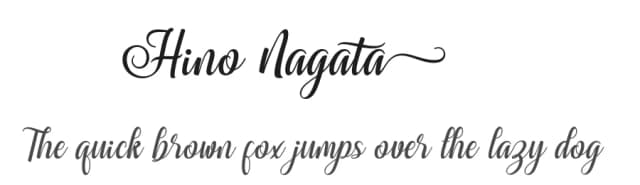
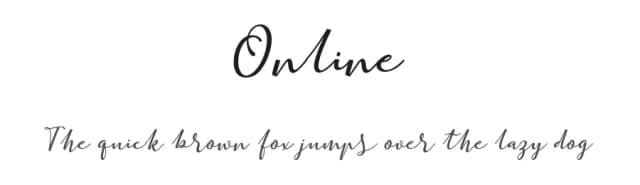
Browse fonts by theme
Curated collections →Saw a font in a picture? Identify any font from an image with our free Font Finder.
More Script Handwritten Fonts
Browse all →







What pairs well with Khansa Font?
Khansa Font is a script font that shines as a display or heading face. Pair it with a clean sans-serif or serif font for body text — the contrast creates a clear hierarchy while the two styles stay balanced and easy to read.



Premium Script Handwritten Fonts
★ PremiumWant something with more weights, glyphs, and commercial polish? These premium script handwritten fonts are worth a look.

Khansa Font
by Zulfikar Ali
Reviewed by the FontBoxDL team · Updated June 2026
License: Free for personal use