 Firefox
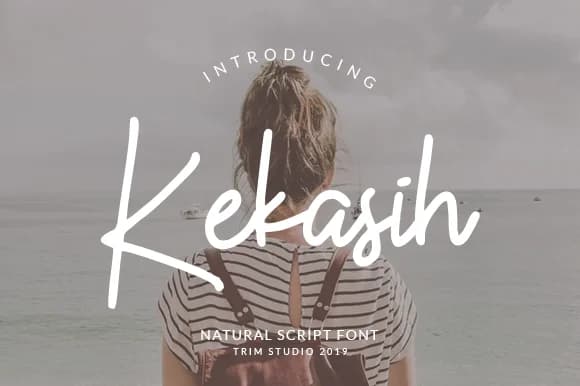 1 / 6
1 / 6About Kekasih Font
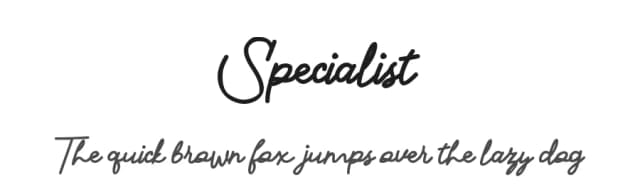
Kekasih Font by Trim Studio is a sophisticated handwritten script that balances natural elegance with surprising versatility. This typeface captures the warmth of hand-lettered calligraphy while maintaining excellent readability, making it work across a range of design contexts. Its organic letterforms shine brightest on wedding invitation suites, artisan food labels, boutique skincare packaging, and custom business signage where that human touch sets your work apart.
Where this script truly excels is in bridging the gap between polished brand identity and authentic handmade character. You'll find it equally effective as a logo mark and watermark, on social media graphics for small businesses, in product photography where a handwritten element adds warmth, and on printed materials where the vintage calligraphic style conveys both craft and care. In professional contexts it carries enough sophistication, while for DIY projects, handmade gift labels, and personal brand work it stays accessible and approachable. That rare balance makes it work where many scripts fail, capturing elegance without feeling stiff or casual without becoming careless.
What makes this font distinct is how it manages to feel both refined and genuinely human. Its calligraphic letterforms have real depth without becoming theatrical or overwrought. Grab it on Creative Fabrica and bring this character to your next design.
Style & Use Cases
- Overall Style
- Elegant, Flowing, Symbol
- Use Case
- Invitations, Branding
- Ideal For
- wedding stationery, greeting cards, and signatures
- Pairs With
- a simple uppercase sans
How to Install Kekasih Font Font
Step-by-step instructions for every platform
- 1Download the Kekasih Font font file (.ttf or .otf).
- 2Locate the downloaded file in your Downloads folder.
- 3Right-click the font file.
- 4Select "Install" to install for the current user, or "Install for all users" to make it available system-wide.
- 5Kekasih Font is now available in Word, Photoshop, Illustrator, and all other apps.
More by Trim Studio
View all →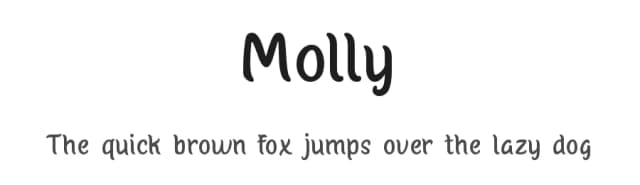
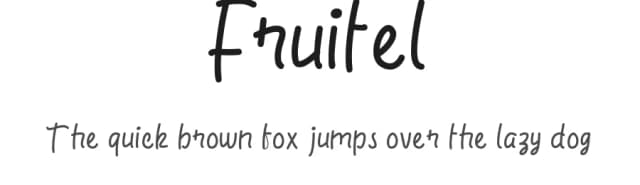
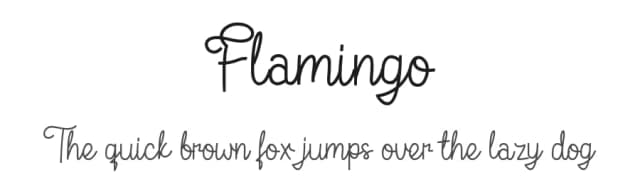
Browse fonts by theme
Curated collections →Saw a font in a picture? Identify any font from an image with our free Font Finder.
More Script Handwritten Fonts
Browse all →







What pairs well with Kekasih Font?
Kekasih Font is a script font that shines as a display or heading face. Pair it with a clean sans-serif or serif font for body text — the contrast creates a clear hierarchy while the two styles stay balanced and easy to read.



Kekasih Font
by Trim Studio
Reviewed by the FontBoxDL team · Updated May 2026