 Firefox
 1 / 3
1 / 3Loading font…
About Jonarun Font
The Jonarun font was derived from Chisato font by Zephram.
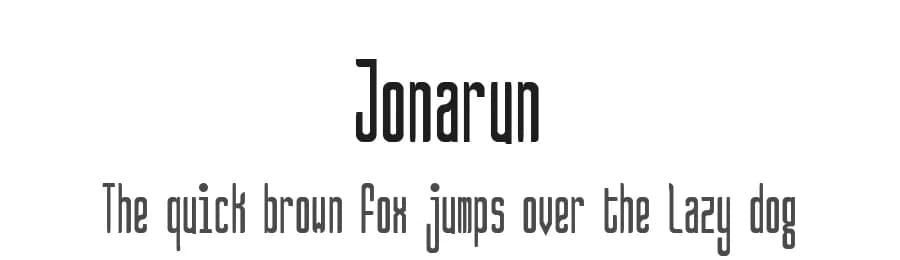
Jonarun is a condensed, monospaced, sans serif font with varied widths and tapered or barely rounded, goth cut glyph line ends. It appears as a tall, casual, easy-to-read font.
Jonarun is also multilingual. It offers not only Basic Latin support, but also a complete Latin Supplement 1 and the Greek and Coptic lettersets for extended support in various langages. Additionally, it offers more General Punctuation, a few extra Currency Signs, and a few extra marks (TM, SM).
Although Zephram's work is no longer apparent here in this font, it exists in the underlying compressed letter forms and shapes of most of the characters that inspired me to give it a twist and turn it into a monospaced font with tapered (or subtly rounded cut) line ends. Often, the strokes of a single character will have different widths to give it a little flair, as well.
Copyright 2019 Zephram (https://fontstruct.com/fontstructors/show/1520560/) & Doug Peters (https://www.Doug-Peters.com or
https://Dougs.Work
) of Symbiotic Design (https://www.SymbioticDesign.com).
Both this font, Jonarun, and its predecessor, Chisato, are distributed under the 'CC0' (Creative Commons Pubic Domain Dedication) freeware license.
https://creativecommons.org/publicdomain/zero/1.0/
Credit for my contribution to this work IS greatly appreciated. Thank you.
PayPal donations (to encourage my continued freeware design efforts) are also super-appreciated:
https://paypal.me/sitedesigner
Style & Use Cases
- Overall Style
- Clean, Modern, Basic
- Use Case
- Body Text, UI
- Ideal For
- branding, interfaces, and modern layouts
- Pairs With
- a contrasting serif for headings
Similar Fonts
Fonts that look visually alike — matched by our Font Finder model.





Jonarun Specifications
| Font Family | Jonarun |
| Style | Regular |
| Full Name | Jonarun |
| Version | 1.001 |
| Weight | 400 (Regular) |
| Glyph Count | 386 glyphs |
| PostScript Name | Jonarun |
| Designer | Doug Peters |
| Format | TTF (TrueType) |
| File Size | 128.5 KB |
Languages Supported
Jonarun supports 222 languages.
How to Install Jonarun Font
Step-by-step instructions for every platform
- 1Download the Jonarun font file (.ttf or .otf).
- 2Locate the downloaded file in your Downloads folder.
- 3Right-click the font file.
- 4Select "Install" to install for the current user, or "Install for all users" to make it available system-wide.
- 5Jonarun is now available in Word, Photoshop, Illustrator, and all other apps.
More by Symbiotic Design
View all →


Browse fonts by theme
Curated collections →Saw a font in a picture? Identify any font from an image with our free Font Finder.
More Sans Serif Fonts
Browse all →
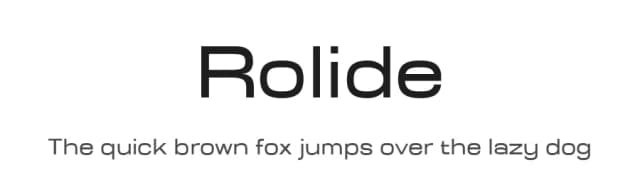
What pairs well with Jonarun Font?
Jonarun Font is a versatile sans-serif font that works for both headings and body text. Pair it with a contrasting serif or slab serif font to add visual interest and a clear distinction between titles and body copy.


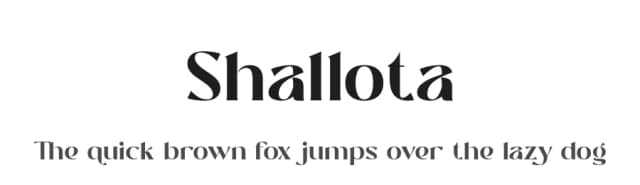

Premium Sans Serif Fonts
★ PremiumWant something with more weights, glyphs, and commercial polish? These premium sans serif fonts are worth a look.


Jonarun Font
Reviewed by the FontBoxDL team · Updated June 2026
License: Public domain / GPL / OFL