 Firefox
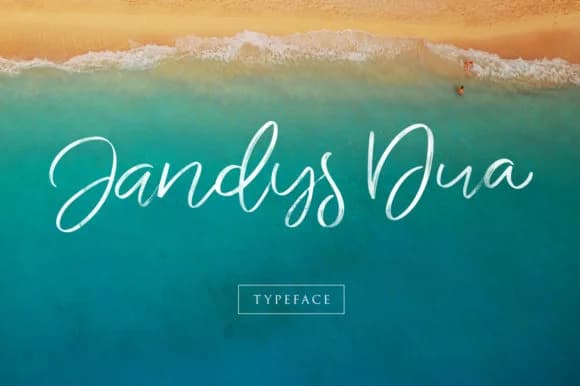 1 / 9
1 / 9About Jandys Font
This font speaks in quiet confidence. Jandys Font, designed by Alit Design, is a script typeface that knows when to step back and when to shine. It carries the warmth of genuine handwriting without looking shaky or amateurish, which means it works beautifully in contexts where both precision and personality matter. The letterforms flow with intentional smoothness, catching light where they should and settling into easy readability everywhere else. That balance is harder to achieve than it looks.
You'll find this typeface at home in wedding invitation suites, personalized product labels for small batch skincare lines, hand-lettered recipe cards and kitchen prints, custom monogram designs, and intimate event signage. The swash alternates give you options for adding extra flourish to key words or focal points, so you can dial the movement up or down depending on each project's needs. This kind of control means you're not locked into one visual voice.
Combine Jandys with a straightforward sans-serif for body text, and you get a contrast that makes the handwritten voice feel intentional and purposeful rather than merely decorative. Creative Fabrica carries it, ready for your next project that calls for something genuine.
Style & Use Cases
- Overall Style
- Elegant, Flowing, Jandys
- Use Case
- Invitations, Branding
- Ideal For
- wedding stationery, greeting cards, and signatures
- Pairs With
- a simple uppercase sans
How to Install Jandys Font Font
Step-by-step instructions for every platform
- 1Download the Jandys Font font file (.ttf or .otf).
- 2Locate the downloaded file in your Downloads folder.
- 3Right-click the font file.
- 4Select "Install" to install for the current user, or "Install for all users" to make it available system-wide.
- 5Jandys Font is now available in Word, Photoshop, Illustrator, and all other apps.
More by Alit Design
View all →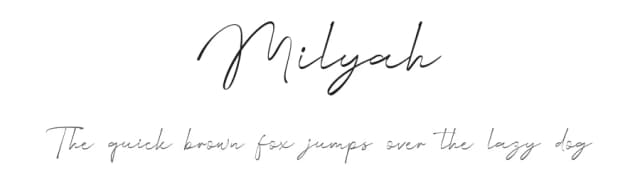

Browse fonts by theme
Curated collections →Saw a font in a picture? Identify any font from an image with our free Font Finder.
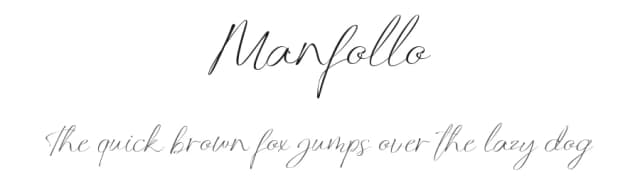
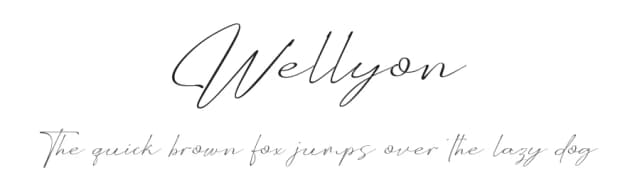
More Script Handwritten Fonts
Browse all →







What pairs well with Jandys Font?
Jandys Font is a script font that shines as a display or heading face. Pair it with a clean sans-serif or serif font for body text — the contrast creates a clear hierarchy while the two styles stay balanced and easy to read.



Jandys Font
by Alit Design
Reviewed by the FontBoxDL team · Updated August 2026