 Firefox
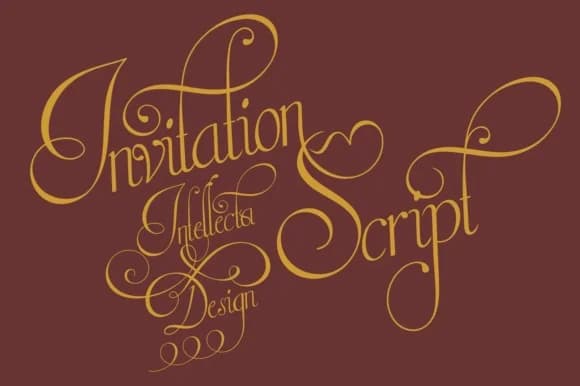
About Invitation Limited Font
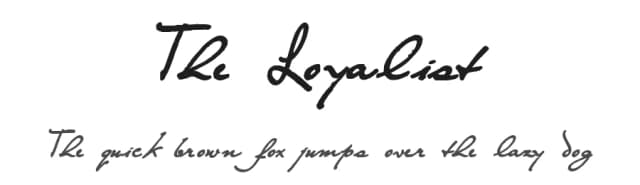
Invitation Limited by Intellecta Design is a flowing script font that authentically captures the refined elegance of hand-lettered calligraphy, complete with carefully crafted flourishes throughout its letterforms. As the streamlined counterpart to the larger Invitation Script, this typeface delivers graceful characters that perform beautifully at smaller scale while maintaining its sophisticated visual presence. The font's distinctive swashy details and connected stroke work make it particularly well-suited for creating upscale invitation suites, personalized stationery collections, formal event programs, and luxury celebration announcements that require genuine handwritten refinement.
Designers working with wedding invitations, engagement party cards, and high-end gift packaging consistently find that Invitation Limited brings an authentic, handcrafted aesthetic that distinguishes their work. The font's fluid letterforms adapt seamlessly to monogram designs and decorative calligraphy-inspired layouts, where visual elegance serves as a key design element. With balanced proportions ensuring readability across different sizes, the typeface lets you incorporate beautiful script styling into detailed projects while maintaining clarity and legibility throughout your designs.
This handwritten script's versatility makes it particularly valuable for professionals in the events industry and luxury branding sector. Whether you're creating sophisticated stationery, custom greeting cards, or special occasion announcements, Invitation Limited delivers the refined, artisanal qualities that set projects apart with authentic character and presence. Discover the handwritten grace of Invitation Limited Font on Creative Fabrica and transform your next project with authentic calligraphic style.
Style & Use Cases
- Overall Style
- Elegant, Flowing, Invitation Limited
- Use Case
- Invitations, Branding
- Ideal For
- wedding stationery, greeting cards, and signatures
- Pairs With
- a simple uppercase sans
How to Install Invitation Limited Font Font
Step-by-step instructions for every platform
- 1Download the Invitation Limited Font font file (.ttf or .otf).
- 2Locate the downloaded file in your Downloads folder.
- 3Right-click the font file.
- 4Select "Install" to install for the current user, or "Install for all users" to make it available system-wide.
- 5Invitation Limited Font is now available in Word, Photoshop, Illustrator, and all other apps.
More by Intellecta Design
View all →
Browse fonts by theme
Curated collections →Saw a font in a picture? Identify any font from an image with our free Font Finder.
More Script Handwritten Fonts
Browse all →







What pairs well with Invitation Limited Font?
Invitation Limited Font is a script font that shines as a display or heading face. Pair it with a clean sans-serif or serif font for body text — the contrast creates a clear hierarchy while the two styles stay balanced and easy to read.



Invitation Limited Font
Reviewed by the FontBoxDL team · Updated May 2026