 Firefox
 1 / 9
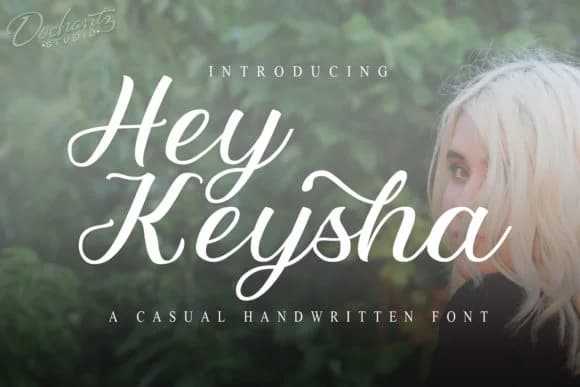
1 / 9About Hey Keysha Font
This script feels like a friendly conversation with personality baked in. Hey Keysha, designed by Doehantz Studio, brings a modern handwritten warmth that doesn't require you to actually pick up a pen and hand-letter everything.
The script excels at wedding invitation suites, where that personal, handmade quality sets the right tone before guests even open the envelope. Boutique product labels and packaging come alive with its crafted vibe, particularly for skincare collections and artisanal goods where authenticity signals quality over mass production. Social media headers, promotional graphics, and story posts gain genuine character when this font carries the message, making followers pause mid-scroll.
Etsy shop owners reach for it for custom greeting cards, handmade stationery designs, and boutique branding that reads as thoughtfully made rather than templated. Beyond those obvious choices, the font holds up beautifully in DIY craft signage and personal projects where you want the finished work to feel intentional and made-with-care. The letter forms strike that rare balance between personality and readability, with enough movement to feel alive without leaving anyone squinting to decipher the text. Pair it with a clean, neutral sans-serif for body text and supporting elements, letting Hey Keysha command the visual hierarchy. You'll find it waiting on Creative Fabrica whenever you're ready to add warmth and intention to your next project.
Style & Use Cases
- Overall Style
- Elegant, Flowing, Hey Keysha
- Use Case
- Invitations, Branding
- Ideal For
- wedding stationery, greeting cards, and signatures
- Pairs With
- a simple uppercase sans
How to Install Hey Keysha Font Font
Step-by-step instructions for every platform
- 1Download the Hey Keysha Font font file (.ttf or .otf).
- 2Locate the downloaded file in your Downloads folder.
- 3Right-click the font file.
- 4Select "Install" to install for the current user, or "Install for all users" to make it available system-wide.
- 5Hey Keysha Font is now available in Word, Photoshop, Illustrator, and all other apps.
More by Doehantz Studio
View all →
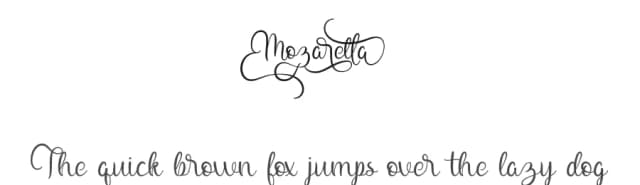
Browse fonts by theme
Curated collections →Saw a font in a picture? Identify any font from an image with our free Font Finder.
More Script Handwritten Fonts
Browse all →







What pairs well with Hey Keysha Font?
Hey Keysha Font is a script font that shines as a display or heading face. Pair it with a clean sans-serif or serif font for body text — the contrast creates a clear hierarchy while the two styles stay balanced and easy to read.



Hey Keysha Font
Reviewed by the FontBoxDL team · Updated August 2026