
 1 / 9
1 / 9About Green Aila Font
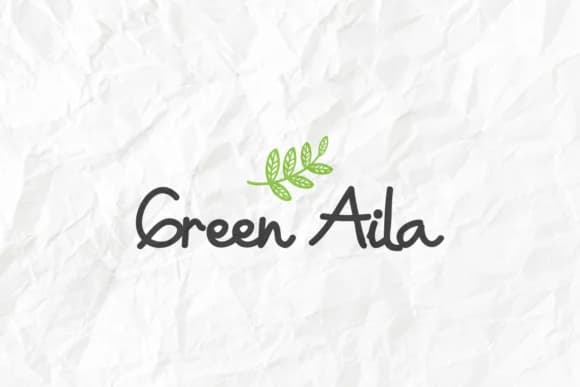
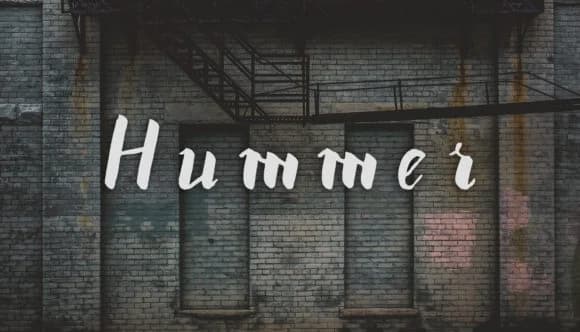
Imagine designing a children's birthday card suite or working up a playful handmade sticker line that needs genuine personality and warmth. Green Aila by EdricStudio is a comic-style handwritten font that brings an earnest, lighthearted charm to creative work without being overly clever or self-conscious about it. The letterforms feel like they were sketched by hand with a real pencil, but they land on screen or paper with surprising clarity and consistency across every character.
This typeface shines for Etsy product packaging labels, DIY greeting card designs, children's picture book covers, and playful event signage that needs a human touch. The hand-drawn quality reads as genuine rather than affected, which is why it translates well across both digital and print applications. There's something unpretentious about how the letters sit together, making whatever you're working on feel more approachable and genuinely connected to the hand that created it.
The font maintains its character and personality even at larger display sizes, keeping the whimsy and bounce fully intact while staying readable. It works across both web and print, so you can use it however your project needs. Grab Green Aila on Creative Fabrica and start bringing some real warmth to your next design.
Style & Use Cases
- Overall Style
- Elegant, Flowing, Green Aila
- Use Case
- Invitations, Branding
- Ideal For
- wedding stationery, greeting cards, and signatures
- Pairs With
- a simple uppercase sans
How to Install Green Aila Font Font
Step-by-step instructions for every platform
- 1Download the Green Aila Font font file (.ttf or .otf).
- 2Locate the downloaded file in your Downloads folder.
- 3Right-click the font file.
- 4Select "Install" to install for the current user, or "Install for all users" to make it available system-wide.
- 5Green Aila Font is now available in Word, Photoshop, Illustrator, and all other apps.
More by EdricStudio
View all →
Browse fonts by theme
Curated collections →Saw a font in a picture? Identify any font from an image with our free Font Finder.
More Script Handwritten Fonts
Browse all →







What pairs well with Green Aila Font?
Green Aila Font is a script font that shines as a display or heading face. Pair it with a clean sans-serif or serif font for body text — the contrast creates a clear hierarchy while the two styles stay balanced and easy to read.



Green Aila Font
by EdricStudio
Reviewed by the FontBoxDL team · Updated June 2026