 Firefox
 1 / 3
1 / 3Loading font…
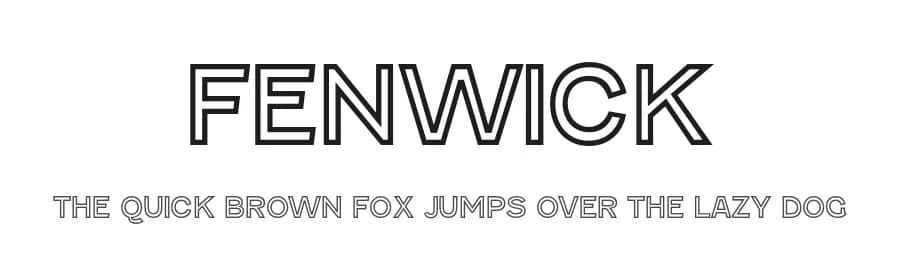
About Fenwick Font
Fenwick combines early 20th-century industrial elegance with modern precision, offering a balance of warmth and authority. Its clean forms and steady rhythm work across packaging, signage, editorial layouts, and branding. The family includes practical weights with matching italics and a distinctive Outline style that evokes engraved lettering for striking display use. Features such as old-style numerals, fractions, and broad language support add professional versatility. Designed for both print and digital environments, Fenwick delivers timeless clarity with crafted detail and adaptable strength.
This font includes a license that allows free commercial use: sometimes referred to as a desktop license. This allows you to install the font on a computer and use it to create posters, videos, web graphics, game graphics, t-shirts, videos, signs, logos and more. Read the license agreement for details.
If you'd like to embed this font in an app, on the web or anything that's not covered by the desktop license agreement, visit the link below. You'll find distributors who offer different types of licenses, or you can contact me for help.
https://typodermicfonts.com/fenwick/
This free font is part of a larger font family. Check out the rest of the family through the link above.
Style & Use Cases
- Overall Style
- Heavy, Clean, Modern, Basic
- Use Case
- Body Text, UI
- Ideal For
- branding, interfaces, and modern layouts
- Pairs With
- a contrasting serif for headings
Similar Fonts
Fonts that look visually alike — matched by our Font Finder model.



Fenwick Specifications
| Font Family | Fenwick Outline |
| Style | Regular |
| Full Name | Fenwick Outline |
| Version | 4.200 |
| Weight | 900 (Black) |
| Glyph Count | 388 glyphs |
| PostScript Name | Fenwick-Outline |
| Designer | Raymond Larabie |
| Format | OTF (CFF) |
| File Size | 39.4 KB |
OpenType Features
Fenwick ships with 5 OpenType features you can switch on in apps that support them (Illustrator, InDesign, Affinity, Figma, CSS font-feature-settings).
- Fractions
- Stylistic alternates
- Scientific inferiors
- Superscripts
- Stylistic sets (1)
Languages Supported
Fenwick supports 281 languages.
How to Install Fenwick Font
Step-by-step instructions for every platform
- 1Download the Fenwick font file (.ttf or .otf).
- 2Locate the downloaded file in your Downloads folder.
- 3Right-click the font file.
- 4Select "Install" to install for the current user, or "Install for all users" to make it available system-wide.
- 5Fenwick is now available in Word, Photoshop, Illustrator, and all other apps.
More by Typodermic Fonts
View all →



Browse fonts by theme
Curated collections →Saw a font in a picture? Identify any font from an image with our free Font Finder.
More Sans Serif Fonts
Browse all →
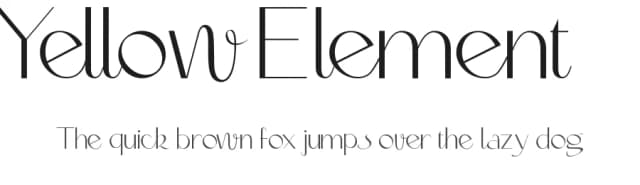



What pairs well with Fenwick Font?
Fenwick Font is a versatile sans-serif font that works for both headings and body text. Pair it with a contrasting serif or slab serif font to add visual interest and a clear distinction between titles and body copy.


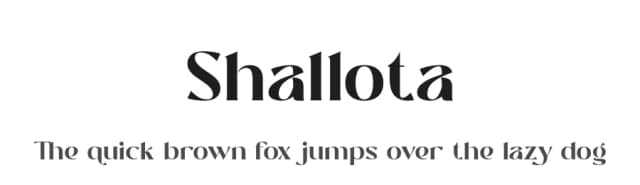

Premium Sans Serif Fonts
★ PremiumWant something with more weights, glyphs, and commercial polish? These premium sans serif fonts are worth a look.


