 Firefox
 1 / 8
1 / 8About Evalina Font
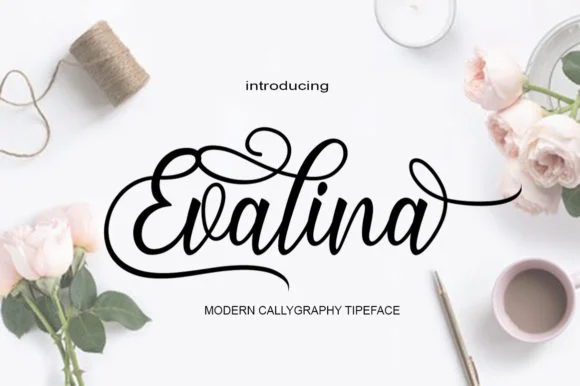
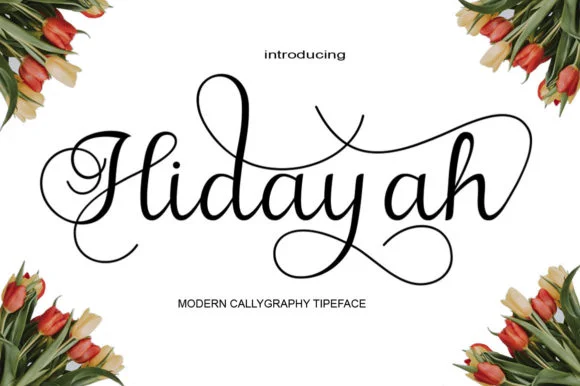
Picture a couple designing wedding invitations who need something personal and handcrafted. Evalina, designed by AzzamStudio, is a handwritten script with flowing swashes that capture authentic calligraphic character without feeling overwrought. The letterforms strike a careful balance between modern elegance and genuine warmth, making them equally at home on a formal printed invitation suite or a boutique skincare product label.
This font excels for high-end packaging on boutique cosmetics and skincare brands, where that handmade, artisanal aesthetic immediately catches the eye on crowded shelves. Vintage-inspired invitation suites gain real sophistication from its ornate swashes, while custom logo designs that need distinctive character and personality find exactly what they're after. Independent sellers on Etsy creating custom product tags and merchandise labels consistently discover that Evalina's flowing letterforms make their handmade offerings feel more deliberate and considered. The swashes maintain generous proportions without overwhelming the letterforms, a balance that keeps the font readable even when pushed larger or used as a prominent visual element. You also get a solid range of glyphs and language support, giving you flexibility across different projects and client needs.
Add Evalina to your Creative Fabrica library and you'll have a refined script option ready to deploy whenever inspiration strikes.
Style & Use Cases
- Overall Style
- Elegant, Flowing, Script
- Use Case
- Invitations, Branding
- Ideal For
- wedding stationery, greeting cards, and signatures
- Pairs With
- a simple uppercase sans
How to Install Evalina Font Font
Step-by-step instructions for every platform
- 1Download the Evalina Font font file (.ttf or .otf).
- 2Locate the downloaded file in your Downloads folder.
- 3Right-click the font file.
- 4Select "Install" to install for the current user, or "Install for all users" to make it available system-wide.
- 5Evalina Font is now available in Word, Photoshop, Illustrator, and all other apps.
More by AzzamStudio
View all →
Browse fonts by theme
Curated collections →Saw a font in a picture? Identify any font from an image with our free Font Finder.
More Script Handwritten Fonts
Browse all →







What pairs well with Evalina Font?
Evalina Font is a script font that shines as a display or heading face. Pair it with a clean sans-serif or serif font for body text — the contrast creates a clear hierarchy while the two styles stay balanced and easy to read.




Evalina Font
by AzzamStudio
Reviewed by the FontBoxDL team · Updated June 2026