 Firefox
 1 / 5
1 / 5About Destination Wedding Font
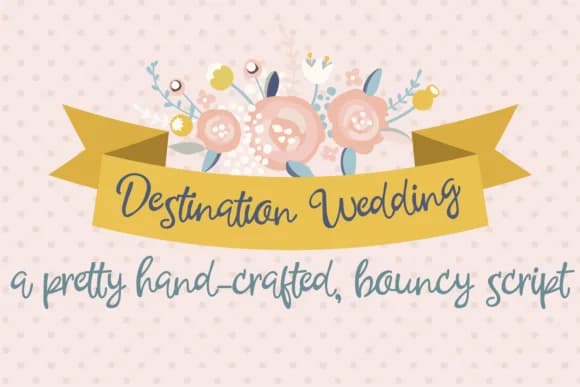
Destination Wedding Font by Illustration Ink is a flowing cursive script featuring an informal, personal sensibility that brings authentic warmth to celebratory design projects. The typeface faithfully captures the essence of genuine handwriting while preserving excellent legibility across both print and digital contexts. Designers consistently appreciate its organic, gently bouncy letterforms for creating typography that feels genuinely connected and human-centered, rather than sterile or overly polished. This versatile script excels across a wide range of wedding-related applications, from formal invitation suites where couples value the intimate quality of hand-drawn details, to save-the-date cards, thank-you announcements, and personalized engagement gifts. The font performs beautifully on luxury stationery sets, bridal shower invitations, and comprehensive destination wedding branding packages. Additional effective uses include personalized gift labels, custom wedding website headers, decorative menu cards, escort cards, and seating arrangement cards. Its approachable, inviting personality ensures each application feels genuinely crafted rather than mass-produced or templated. Whether you're designing for an intimate backyard ceremony, a tropical destination celebration, or a traditional formal wedding, Destination Wedding Font provides the personal touch that transforms everyday stationery into treasured keepsakes. Bring this handwritten charm to your upcoming invitation designs, grab it on Creative Fabrica and start celebrating in style.
Style & Use Cases
- Overall Style
- Elegant, Flowing, Destination Wedding
- Use Case
- Invitations, Branding
- Ideal For
- wedding stationery, greeting cards, and signatures
- Pairs With
- a simple uppercase sans
How to Install Destination Wedding Font Font
Step-by-step instructions for every platform
- 1Download the Destination Wedding Font font file (.ttf or .otf).
- 2Locate the downloaded file in your Downloads folder.
- 3Right-click the font file.
- 4Select "Install" to install for the current user, or "Install for all users" to make it available system-wide.
- 5Destination Wedding Font is now available in Word, Photoshop, Illustrator, and all other apps.
More by Illustration Ink
View all →



Browse fonts by theme
Curated collections →Saw a font in a picture? Identify any font from an image with our free Font Finder.
More Script Handwritten Fonts
Browse all →







What pairs well with Destination Wedding Font?
Destination Wedding Font is a script font that shines as a display or heading face. Pair it with a clean sans-serif or serif font for body text — the contrast creates a clear hierarchy while the two styles stay balanced and easy to read.



Destination Wedding Font
Reviewed by the FontBoxDL team · Updated May 2026