 Firefox
 1 / 7
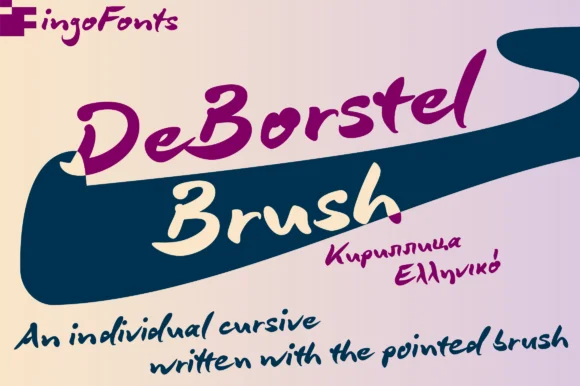
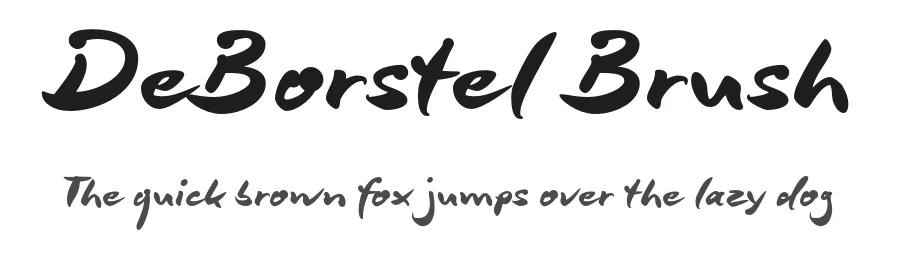
1 / 7About DeBorstel Brush Pro Font
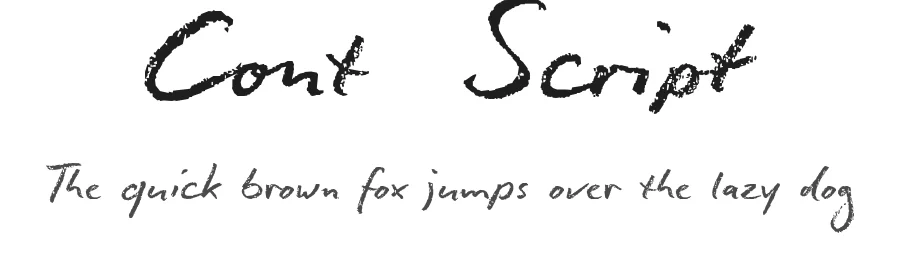
This brush script has an easy, confident flow that feels both personal and polished. DeBorstel Brush Pro, designed by ingoFonts, brings warmth to hand-lettered design work without the stiffness that sometimes affects other brush scripts.
The font performs beautifully across design categories where a handmade quality genuinely matters to customers. Wedding invitation suites and greeting cards benefit from its approachable elegance, while boutique packaging for skincare, candles, and cosmetics feels premium and intentional when set in DeBorstel. Restaurant menus, product labels for Etsy sellers, and in-store signage for small craft businesses all gain personality and visual interest from the flowing letterforms. The brush texture gives each letter distinctive character while legibility stays strong across different display sizes and weights. Set it small for delicate detail work or large for maximum impact, and it maintains readability in both contexts.
Pair it with a clean, minimal sans-serif for body copy and supporting text, which creates visual hierarchy and keeps longer passages readable. The pairing allows the script to carry all the warmth and personality your design requires while the sans-serif handles information hierarchy clearly. DeBorstel Brush Pro is available on Creative Fabrica, bringing handmade character to your next project.
Style & Use Cases
- Overall Style
- Elegant, Flowing, Deborstel Brush Pro
- Use Case
- Invitations, Branding
- Ideal For
- wedding stationery, greeting cards, and signatures
- Pairs With
- a simple uppercase sans
How to Install DeBorstel Brush Pro Font Font
Step-by-step instructions for every platform
- 1Download the DeBorstel Brush Pro Font font file (.ttf or .otf).
- 2Locate the downloaded file in your Downloads folder.
- 3Right-click the font file.
- 4Select "Install" to install for the current user, or "Install for all users" to make it available system-wide.
- 5DeBorstel Brush Pro Font is now available in Word, Photoshop, Illustrator, and all other apps.
More by ingoFonts
View all →
Browse fonts by theme
Curated collections →Saw a font in a picture? Identify any font from an image with our free Font Finder.
More Script Handwritten Fonts
Browse all →







What pairs well with DeBorstel Brush Pro Font?
DeBorstel Brush Pro Font is a script font that shines as a display or heading face. Pair it with a clean sans-serif or serif font for body text — the contrast creates a clear hierarchy while the two styles stay balanced and easy to read.




DeBorstel Brush Pro Font
by ingoFonts
Reviewed by the FontBoxDL team · Updated June 2026