
 1 / 6
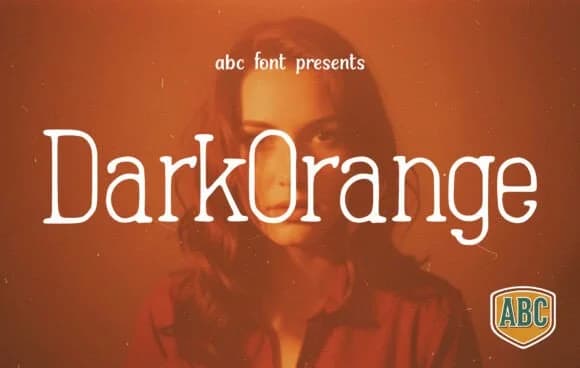
1 / 6About Darkorange Font
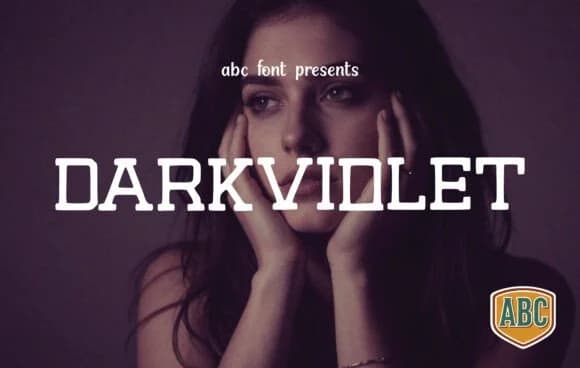
Darkorange by ABC Font is a tall, slender slab serif that bridges modern restraint with retro character. The typeface combines sharply cropped letterforms with softly rounded terminals, creating a visual tension that feels both current and nostalgic at once. This particular proportional balance gives it genuine versatility in headline and display work. Its high x-height and narrow width make it especially effective in headline settings where vertical emphasis matters and you want something that commands attention without relying on weight alone.
Use this one for fashion lookbooks and editorial spreads where luxury positioning demands visual restraint, luxury jewelry branding, boutique cafe menus, and high-end product packaging where a hand-crafted edge lifts a design above mass production. The soft, organic quality keeps it from reading as purely geometric or cold. You'll find it works across both moody, atmospheric layouts and bright, playful contexts without losing its distinctive character.
The font handles its weight and proportions with enough personality to anchor a logo or stand alone as a poster typeface. Consider pairing it with quieter sans-serifs to let its structure breathe and shine. Get Darkorange on Creative Fabrica and start building with a typeface that respects both elegance and edge.
Style & Use Cases
- Overall Style
- Sturdy, Confident, Darkorange
- Use Case
- Headlines, Merch
- Ideal For
- vintage posters, logos, and product packaging
- Pairs With
- a light sans-serif
How to Install Darkorange Font
Step-by-step instructions for every platform
- 1Download the Darkorange font file (.ttf or .otf).
- 2Locate the downloaded file in your Downloads folder.
- 3Right-click the font file.
- 4Select "Install" to install for the current user, or "Install for all users" to make it available system-wide.
- 5Darkorange is now available in Word, Photoshop, Illustrator, and all other apps.
More by ABC Font
View all →
Browse fonts by theme
Curated collections →Saw a font in a picture? Identify any font from an image with our free Font Finder.
More Slab Serif Fonts
Browse all →







What pairs well with Darkorange Font?
Darkorange Font is a slab serif font that shines as a display or heading face. Pair it with a clean sans-serif or serif font for body text — the contrast creates a clear hierarchy while the two styles stay balanced and easy to read.



Darkorange Font
by ABC Font
Reviewed by the FontBoxDL team · Updated August 2026