
 1 / 6
1 / 6About Romantic Font
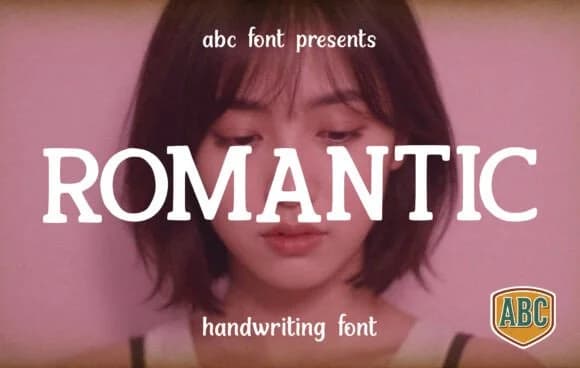
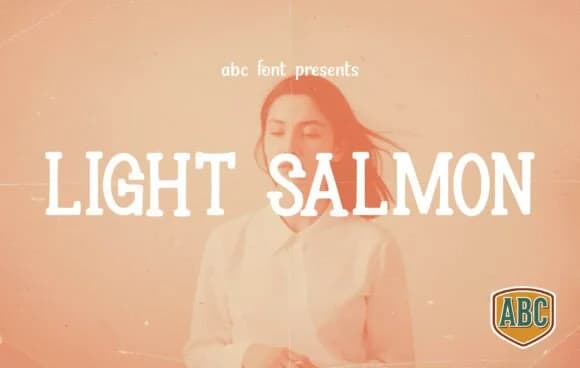
Romantic by ABC Font is a slab-serif display typeface that brings warmth and individuality to upscale projects without feeling stiff or overly formal. The design combines structured serifs with softened corners and generous spacing, creating something that works equally well as a statement headline or a supporting element in a layered layout.
What makes this typeface practical is how it handles real-world applications. It looks at home on luxury perfume labels and high-end packaging, but it's equally strong for wedding invitation suites where you want character without pretension. Product branding for artisanal shops, vintage-inspired book covers, and boutique hotel signage all benefit from its balanced personality. The refined but approachable aesthetic also suits logo marks and brand identities where you're aiming for confidence rather than coldness.
The typeface reads beautifully across sizes because of its deliberate proportions and open letterforms. Pair it with plenty of whitespace and muted photography, or use it bolder alongside textured backgrounds for a more contemporary edge. You'll find it works well in both minimal, quiet layouts and projects with more visual complexity. Get Romantic on Creative Fabrica and start using it for work that needs both polish and soul.
Style & Use Cases
- Overall Style
- Sturdy, Confident, Romantic
- Use Case
- Headlines, Merch
- Ideal For
- vintage posters, logos, and product packaging
- Pairs With
- a light sans-serif
How to Install Romantic Font
Step-by-step instructions for every platform
- 1Download the Romantic font file (.ttf or .otf).
- 2Locate the downloaded file in your Downloads folder.
- 3Right-click the font file.
- 4Select "Install" to install for the current user, or "Install for all users" to make it available system-wide.
- 5Romantic is now available in Word, Photoshop, Illustrator, and all other apps.
More by ABC Font
View all →
Browse fonts by theme
Curated collections →Saw a font in a picture? Identify any font from an image with our free Font Finder.
More Slab Serif Fonts
Browse all →







What pairs well with Romantic Font?
Romantic Font is a slab serif font that shines as a display or heading face. Pair it with a clean sans-serif or serif font for body text — the contrast creates a clear hierarchy while the two styles stay balanced and easy to read.



Romantic Font
by ABC Font
Reviewed by the FontBoxDL team · Updated August 2026