 Firefox
 1 / 8
1 / 8About College Font
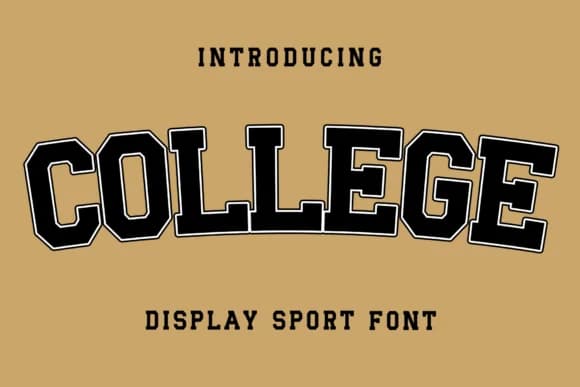
Picture yourself designing a luxury wedding suite, wrestling with fonts that feel either too trendy or too stiff. College, created by Creatype Designer, lands exactly in that sweet spot: a slab serif with genuine character that reads as both refined and approachable. It combines the weight of traditional serifs with handwritten warmth, making it work equally well for formal letterheads and casual brand lettering. That balance feels grounded yet playful, which is harder to pull off than it sounds.
You'll find it particularly useful for fine dining menus, high-end product packaging, and invitation suites where you need personality without sacrificing sophistication. Fashion brands gravitate toward it for lookbook headers and seasonal campaigns, while boutique creators use it for Etsy product listings and small-batch cosmetics labels. Wedding stationery designers especially appreciate how it bridges elegance and approachability. Built-in ligatures add polish when you're setting longer text, helping the letters flow naturally and catch light in ways that feel intentional rather than decorative.
The regular weight handles headlines and body text with genuine flexibility, scaling beautifully from large display sizes down to smaller applications without losing its character. Grab it on Creative Fabrica and you're ready to bring that blend of elegance and warmth to your next project.
Style & Use Cases
- Overall Style
- Sturdy, Confident, Summer Font
- Use Case
- Headlines, Merch
- Ideal For
- vintage posters, logos, and product packaging
- Pairs With
- a light sans-serif
How to Install College Font
Step-by-step instructions for every platform
- 1Download the College font file (.ttf or .otf).
- 2Locate the downloaded file in your Downloads folder.
- 3Right-click the font file.
- 4Select "Install" to install for the current user, or "Install for all users" to make it available system-wide.
- 5College is now available in Word, Photoshop, Illustrator, and all other apps.
More by Creatype Designer
View all →


Browse fonts by theme
Curated collections →Saw a font in a picture? Identify any font from an image with our free Font Finder.
More Slab Serif Fonts
Browse all →







What pairs well with College Font?
College Font is a slab serif font that shines as a display or heading face. Pair it with a clean sans-serif or serif font for body text — the contrast creates a clear hierarchy while the two styles stay balanced and easy to read.



College Font
Reviewed by the FontBoxDL team · Updated August 2026