 Firefox
 1 / 3
1 / 3Loading font…
About Cleoverda Font
It's designed for work that crosses borders. Cleoverda is a sans-serif by Mas Anis from Huntype, supporting 107 languages (Latin-based) with the kind of reliability that doesn't falter when text switches scripts and regions.
Wide language coverage changes how you think about global projects. Instead of hunting for alternative fonts per region or licensing multiple families, you have one consistent typeface spanning English, German, French, Polish, and dozens more. The Regular weight holds steady across languages, so body text and labels maintain even rhythm whether copy is short or long, simple or complex. This breadth makes it a natural fit for international publishing ventures, multilingual website systems, and packaging that travels across different markets. Having one font manage multiple languages means less overhead and more predictable results.
Cleoverda works best when consistency across languages is the priority. Consider it for multilingual restaurant menus, international technical documentation, global brand identity systems, or book design with multiple language editions. The typeface is built for projects where legible typography serves the content across languages. Free demo available here for personal use; full commercial version on Creative Fabrica.
Style & Use Cases
- Overall Style
- Clean, Modern, Sans Serif
- Use Case
- Body Text, UI
- Ideal For
- branding, interfaces, and modern layouts
- Pairs With
- a contrasting serif for headings
Cleoverda Specifications
| Font Family | Cleoverda |
| Style | Regular |
| Full Name | Cleoverda |
| Version | 1.00 |
| Weight | 400 (Regular) |
| Glyph Count | 116 glyphs |
| PostScript Name | Cleoverda |
| Designer | Mas Anis |
| Format | TTF (TrueType) |
| File Size | 15 KB |
Languages Supported
Cleoverda supports 107 languages.
How to Install Cleoverda Font
Step-by-step instructions for every platform
- 1Download the Cleoverda font file (.ttf or .otf).
- 2Locate the downloaded file in your Downloads folder.
- 3Right-click the font file.
- 4Select "Install" to install for the current user, or "Install for all users" to make it available system-wide.
- 5Cleoverda is now available in Word, Photoshop, Illustrator, and all other apps.


Browse fonts by theme
Curated collections →Saw a font in a picture? Identify any font from an image with our free Font Finder.
More Sans Serif Fonts
Browse all →
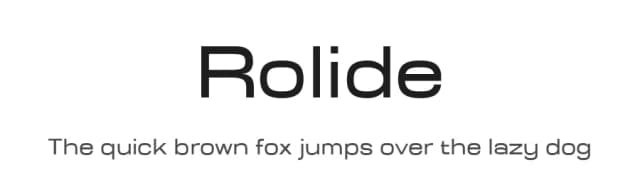
What pairs well with Cleoverda Font?
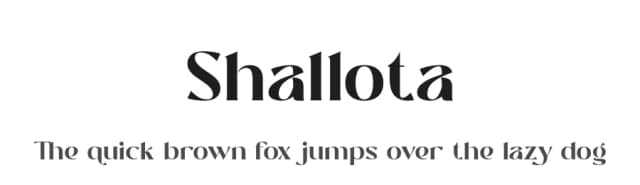
Cleoverda Font is a versatile sans-serif font that works for both headings and body text. Pair it with a contrasting serif or slab serif font to add visual interest and a clear distinction between titles and body copy.



Cleoverda Font
by Mas Anis
Reviewed by the FontBoxDL team · Updated August 2026