 Firefox
 1 / 6
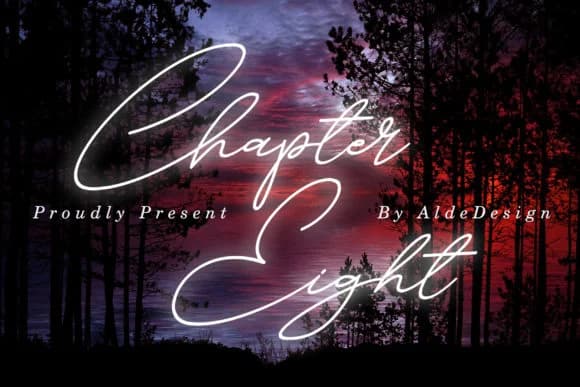
1 / 6About Chapter Eight Font
Picture a wedding invitation lying on cream cardstock, its text flowing with genuine handwritten warmth. Chapter Eight, designed by aldedesign, is a signature script that captures that personal touch without sacrificing polish. The typeface delivers a modern calligraphic voice that works across bridal stationery, high-end product branding, and any project demanding character.
What makes Chapter Eight distinct is its generous swashes, which add movement and organic quality to every word. These flourishes aren't overdone; they enhance the letterforms rather than compete with them. The weight feels balanced enough for event programs and menus, yet decorative enough for luxury beauty packaging or boutique skincare labels. Photographers often reach for scripts like this when watermarking gallery proofs and fine art prints, where authenticity carries real importance. You'll see it work beautifully on Christmas greeting cards and handwritten-style wedding programs, where that genuinely casual hand feels right at home.
The hand-drawn quality reads natural rather than forced, meaning it spans both informal applications and sophisticated designs with equal ease. Whether laying down text at large headline sizes or handling body-level work, the swashes remain legible and inviting. Its collection of thoughtful alternates gives you options to dial the flourish up or down based on context. Find Chapter Eight on Creative Fabrica and add this versatile handwritten voice to your design toolbox.
Style & Use Cases
- Overall Style
- Elegant, Flowing, Christmas
- Use Case
- Invitations, Branding
- Ideal For
- wedding stationery, greeting cards, and signatures
- Pairs With
- a simple uppercase sans
How to Install Chapter Eight Font Font
Step-by-step instructions for every platform
- 1Download the Chapter Eight Font font file (.ttf or .otf).
- 2Locate the downloaded file in your Downloads folder.
- 3Right-click the font file.
- 4Select "Install" to install for the current user, or "Install for all users" to make it available system-wide.
- 5Chapter Eight Font is now available in Word, Photoshop, Illustrator, and all other apps.
More by aldedesign
View all →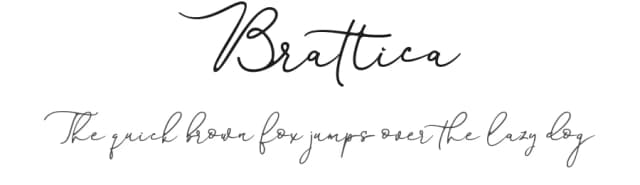

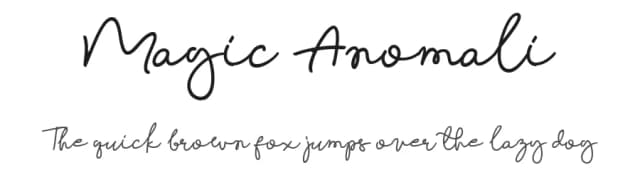
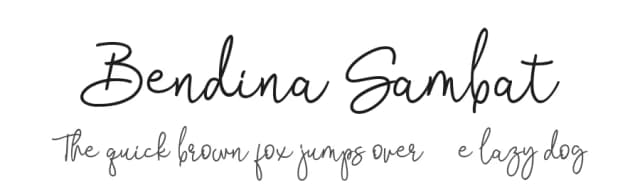
Browse fonts by theme
Curated collections →Saw a font in a picture? Identify any font from an image with our free Font Finder.
More Script Handwritten Fonts
Browse all →







What pairs well with Chapter Eight Font?
Chapter Eight Font is a script font that shines as a display or heading face. Pair it with a clean sans-serif or serif font for body text — the contrast creates a clear hierarchy while the two styles stay balanced and easy to read.



Chapter Eight Font
by aldedesign
Reviewed by the FontBoxDL team · Updated September 2026