 Firefox
 1 / 3
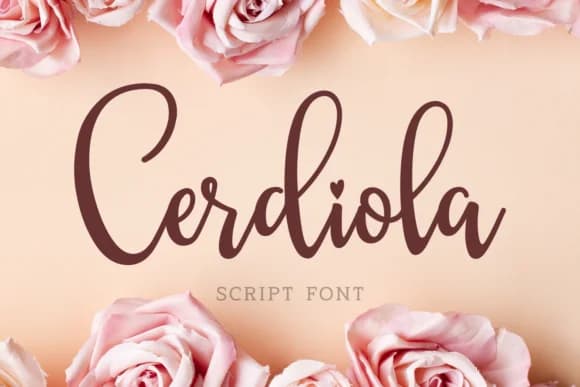
1 / 3About Cerdiola Font
Cerdiola, designed by Keithzo of 7NTypes, brings genuine 70s script sensibility through its flowing, organic letterforms that feel like they were drawn by hand with a brush. The characters have that distinctive retro warmth and bounce without becoming overly decorative or difficult to read at smaller sizes. This is a handwritten script that genuinely captures an era when type had real personality and rhythm baked into every curve and connection.
The font shines on vintage band poster designs, retro product label projects, groovy album artwork, and sublimation work on tumblers or apparel where nostalgic energy needs to take center stage. If you're building branding for a vintage-leaning business, designing a 70s-inspired event suite, or creating craft vinyl projects, Cerdiola delivers authentic character without tipping into cliche territory. The script holds together beautifully both large and small, making it surprisingly flexible for display and sublimation applications alike.
This font belongs in the hands of designers and makers who crave retro personality in their work. One-off craft projects or full brand identities with that groovy edge both benefit from Cerdiola's distinctive vintage aesthetic and warmth. Find it on Creative Fabrica and bring some authentic 70s flair to your next design.
Style & Use Cases
- Overall Style
- Elegant, Flowing, Retro Fonts
- Use Case
- Invitations, Branding
- Ideal For
- wedding stationery, greeting cards, and signatures
- Pairs With
- a simple uppercase sans
How to Install Cerdiola Font Font
Step-by-step instructions for every platform
- 1Download the Cerdiola Font font file (.ttf or .otf).
- 2Locate the downloaded file in your Downloads folder.
- 3Right-click the font file.
- 4Select "Install" to install for the current user, or "Install for all users" to make it available system-wide.
- 5Cerdiola Font is now available in Word, Photoshop, Illustrator, and all other apps.
More by Keithzo (7NTypes)
View all →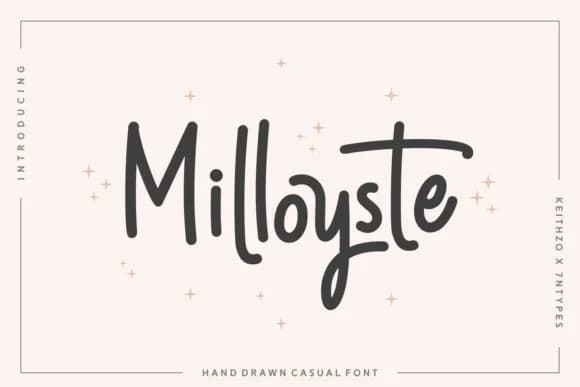
Browse fonts by theme
Curated collections →Saw a font in a picture? Identify any font from an image with our free Font Finder.
More Script Handwritten Fonts
Browse all →







What pairs well with Cerdiola Font?
Cerdiola Font is a script font that shines as a display or heading face. Pair it with a clean sans-serif or serif font for body text — the contrast creates a clear hierarchy while the two styles stay balanced and easy to read.



Cerdiola Font
Reviewed by the FontBoxDL team · Updated August 2026