 Firefox
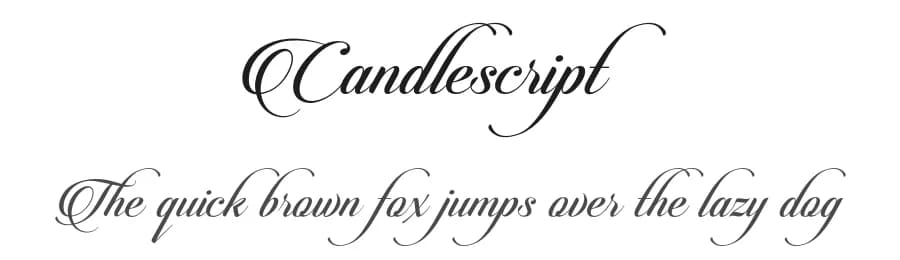 1 / 3
1 / 3Loading font…
About Candlescript Font
PLEASE NOTE.
This is Demo version. Only available Uppercaps A-Z and small caps a-z. Please follow this link to purchase full version & licenses.
https://crmrkt.com/8PAD
INTRODUCTION.
Candlescript font was designed by M Fairuzulhaq aka Ve, founder Vast (logotype & independent type foundry from Indonesia), and first published in August 2014. Candlescript font have a script and italic style. The body text of Candlescript font has been designed with high details, precisely, smooth and flow, so it is suitable used as a logotype, custom typeface, tittle, header, or any kind of advertisements purpose.
Candlescript font have more than 2750 Glyphs which is consist of Uppercaps, Smallcaps, Numerals, Fractions, Punctuations, Diacritical Marks, and most other Glyphs is a variation which is parts of the OpenType features such as Standard Ligatures, Discretionary Ligatures, Stylistic Alternates, Contextual Alternates, Tittling Alternates, and thousands of Swashes.
Candlescript font also very adaptable when combined with other fonts, wether it is a Sans sherif, Slab sherif, Sherif , Regular or Italic. It allows the Candlescript font to be one of the multi-functional display font option and it will surely beautify your layout and looked very professional.
Candlescript font is available in OpenType file format (.otf) and TrueType file format (.ttf). The OpenType features are not working automatically, but you can access by manually and for the best results are needed for your creativity in combining these variations Glyphs. I totaly recomended to using a program whch support the OpenType features and the Glyphs panel such as Adobe Illustrator and Adobe inDesign, so that you can see and access overall of the Glyphs variations.
More...
Please follow this link to see video tutorial How to use the Candlescript Pro use Adobe Illustrator CS6:
https://www.youtube.com/watch?v=06P1Cge4YjY
And go to this link to see the special features of the Candlescript font
http://bit.ly/1nFTZRB
Thanks,
VAST
(logotype & independent type foundry)
Semarang - Indonesia
Style & Use Cases
- Overall Style
- Elegant, Flowing, Script
- Use Case
- Invitations, Branding
- Ideal For
- wedding stationery, greeting cards, and signatures
- Pairs With
- a simple uppercase sans
Similar Fonts
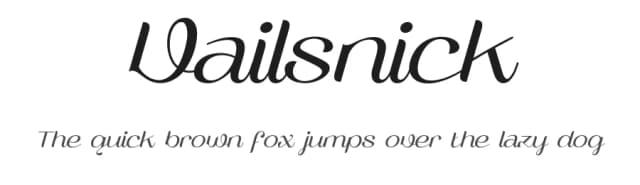
Fonts that look visually alike — matched by our Font Finder model.


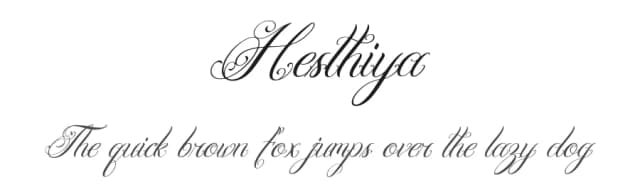

Candlescript Specifications
| Font Family | Candlescript Demo Version |
| Style | Regular |
| Full Name | CandlescriptDemoVersion |
| Version | 1.000 |
| Weight | 400 (Regular) |
| Glyph Count | 56 glyphs |
| PostScript Name | CandlescriptDemoVersion |
| Designer | M Fairuzulhaq |
| Format | OTF (CFF) |
| File Size | 16.2 KB |
Languages Supported
Candlescript supports 89 languages.
How to Install Candlescript Font
Step-by-step instructions for every platform
- 1Download the Candlescript font file (.ttf or .otf).
- 2Locate the downloaded file in your Downloads folder.
- 3Right-click the font file.
- 4Select "Install" to install for the current user, or "Install for all users" to make it available system-wide.
- 5Candlescript is now available in Word, Photoshop, Illustrator, and all other apps.


Browse fonts by theme
Curated collections →Saw a font in a picture? Identify any font from an image with our free Font Finder.
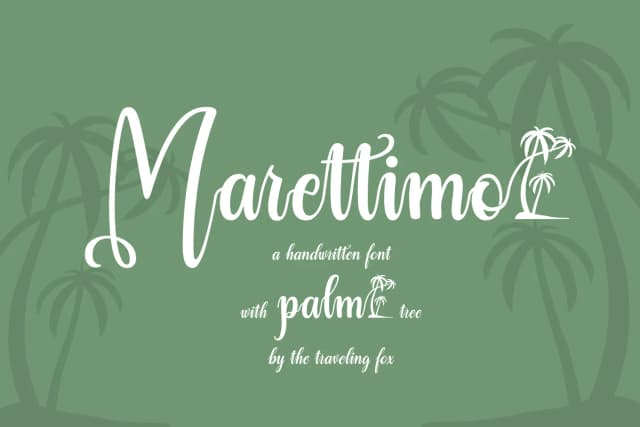
More Script Handwritten Fonts
Browse all →







What pairs well with Candlescript Font?
Candlescript Font is a script font that shines as a display or heading face. Pair it with a clean sans-serif or serif font for body text — the contrast creates a clear hierarchy while the two styles stay balanced and easy to read.



Premium Script Handwritten Fonts
★ PremiumWant something with more weights, glyphs, and commercial polish? These premium script handwritten fonts are worth a look.

Candlescript Font
by Vast
Reviewed by the FontBoxDL team · Updated September 2026