 Firefox
 1 / 6
1 / 6About Buffalo Herder Font
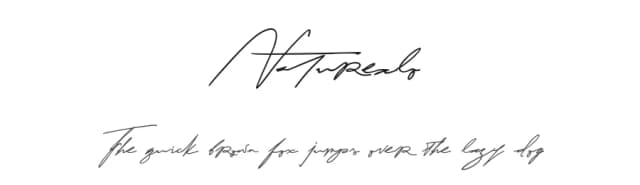
This script feels refined and effortlessly sophisticated. Buffalo Herder by Mozyen Studio is a signature typeface that captures the fluidity of natural handwriting without sacrificing legibility or polish.
The flowing letterforms work beautifully for luxury wedding invitation suites, where each detail sets the tone for the occasion. High-end jewelry branding benefits from its understated elegance, while boutique beauty packaging gains an artisanal, handcrafted feel that catches the eye on crowded shelves. Upscale event signage, cosmetics labels, and gallery show invitations all gain immediate visual authority from this script. Its casual elegance reads as both personal and deeply professional, which matters when you want your brand to feel genuinely human rather than sterile and corporate. Generous spacing and smooth curves give letters room to breathe on the page, preventing that cramped, illegible look all too common in ornate scripts.
Pair Buffalo Herder with a clean, minimal sans-serif (something like a geometric grotesque works beautifully) when you need supporting text and body copy. This contrast lets the script shine as a display font while keeping important information readable and scannable. You'll find Buffalo Herder available on Creative Fabrica, ready to bring warmth and distinctive character to your next design project.
Style & Use Cases
- Overall Style
- Elegant, Flowing, Branding
- Use Case
- Invitations, Branding
- Ideal For
- wedding stationery, greeting cards, and signatures
- Pairs With
- a simple uppercase sans
How to Install Buffalo Herder Font Font
Step-by-step instructions for every platform
- 1Download the Buffalo Herder Font font file (.ttf or .otf).
- 2Locate the downloaded file in your Downloads folder.
- 3Right-click the font file.
- 4Select "Install" to install for the current user, or "Install for all users" to make it available system-wide.
- 5Buffalo Herder Font is now available in Word, Photoshop, Illustrator, and all other apps.
More by Mozyen Studio
View all →

Browse fonts by theme
Curated collections →Saw a font in a picture? Identify any font from an image with our free Font Finder.
More Script Handwritten Fonts
Browse all →







What pairs well with Buffalo Herder Font?
Buffalo Herder Font is a script font that shines as a display or heading face. Pair it with a clean sans-serif or serif font for body text — the contrast creates a clear hierarchy while the two styles stay balanced and easy to read.



Buffalo Herder Font
Reviewed by the FontBoxDL team · Updated May 2026