 Firefox
 1 / 7
1 / 7Loading font…
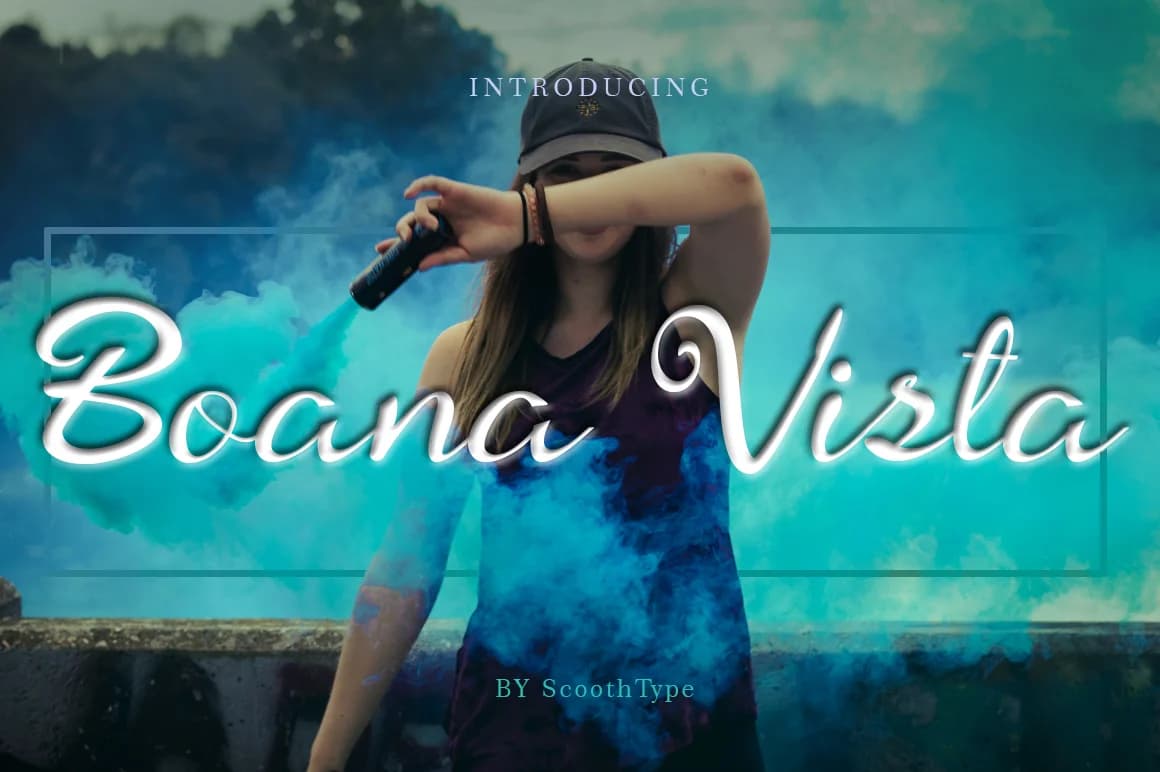
About Boana Vista Font
Boana Vista by scoothtype is a flowing script with refined elegance and contemporary sensibility. The font's variable baseline and delicate strokes create a sophisticated aesthetic that translates beautifully across both digital and print mediums. Its distinctive character makes it particularly well-suited for wedding invitation suites, where understated refinement conveys luxury without ostentation. The font also excels in premium product packaging design, upscale stationery systems, and bespoke event announcements, contexts where thoughtful typography signals quality and intentionality. The font's technical construction supports seamless application across diverse creative projects. Boana Vista's interplay of finesse and legibility ensures your message lands with clarity and visual impact. Whether you're designing custom logo lettermarks, building cohesive brand identity systems, or creating distinctive packaging for boutique goods, this script delivers professional polish without relying on heavy embellishment. The balance between decorative flair and functional readability makes it approachable for designers at all skill levels. Script fonts with this level of restraint are increasingly sought after as contemporary brands embrace minimalist luxury aesthetics. Boana Vista serves that growing design demand perfectly, offering the distinctive character and personality of handwritten letterforms while maintaining professional standards. It's the kind of typeface that enhances presentation through subtlety rather than boldness, precisely what refined design requires. Add Boana Vista to your font collection on Creative Fabrica today and explore its potential across your next project.
Style & Use Cases
- Overall Style
- Elegant, Flowing, Boana Vista
- Use Case
- Invitations, Branding
- Ideal For
- wedding stationery, greeting cards, and signatures
- Pairs With
- a simple uppercase sans
OpenType Features
Boana Vista Font ships with 1 OpenType feature you can switch on in apps that support them (Illustrator, InDesign, Affinity, Figma, CSS font-feature-settings).
- Stylistic sets (3)
How to Install Boana Vista Font Font
Step-by-step instructions for every platform
- 1Download the Boana Vista Font font file (.ttf or .otf).
- 2Locate the downloaded file in your Downloads folder.
- 3Right-click the font file.
- 4Select "Install" to install for the current user, or "Install for all users" to make it available system-wide.
- 5Boana Vista Font is now available in Word, Photoshop, Illustrator, and all other apps.
More by scoothtype
View all →
Browse fonts by theme
Curated collections →Saw a font in a picture? Identify any font from an image with our free Font Finder.
More Script Handwritten Fonts
Browse all →







What pairs well with Boana Vista Font?
Boana Vista Font is a script font that shines as a display or heading face. Pair it with a clean sans-serif or serif font for body text — the contrast creates a clear hierarchy while the two styles stay balanced and easy to read.



Boana Vista Font
by scoothtype
Reviewed by the FontBoxDL team · Updated October 2026