 Firefox
 1 / 4
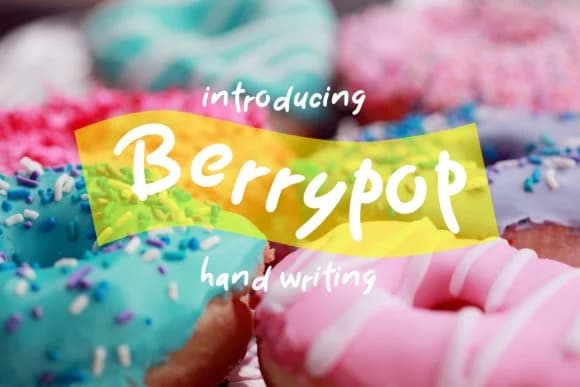
1 / 4About Berrypop Font
Imagine you're designing a Valentine's Day card that needs to feel handmade but look professionally executed on the page. Berrypop, created by Fype Co., is a bold script that hits that exact note. Its confident letterforms work beautifully across wedding invitation suites where you need warmth without sacrificing clarity, handmade gift tags that have to grab attention in craft store bins, Etsy product labels for boutique items like luxury candles and stationery where visual character genuinely matters, and greeting card collections where personality counts.
This is a script that doesn't whisper. The weight stays visible whether you're using it for a headline or dropping it smaller for body copy within an invitation. It maintains that playful handwritten feel while giving you the structure needed for actual, readable layouts. That makes it far more useful than many decorative scripts, which tend to fall apart when you need anything other than poster size.
Deploy it on wedding announcements, Valentine's campaigns, or anywhere you need personality alongside legibility. The boldness gives it real versatility across different applications and formats. Find Berrypop on Creative Fabrica and get a script that actually works.
Style & Use Cases
- Overall Style
- Elegant, Flowing, Berrypop
- Use Case
- Invitations, Branding
- Ideal For
- wedding stationery, greeting cards, and signatures
- Pairs With
- a simple uppercase sans
How to Install Berrypop Font Font
Step-by-step instructions for every platform
- 1Download the Berrypop Font font file (.ttf or .otf).
- 2Locate the downloaded file in your Downloads folder.
- 3Right-click the font file.
- 4Select "Install" to install for the current user, or "Install for all users" to make it available system-wide.
- 5Berrypop Font is now available in Word, Photoshop, Illustrator, and all other apps.
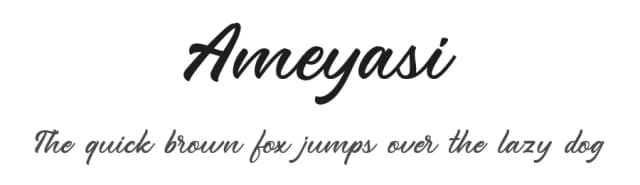
More by Fype Co.
View all →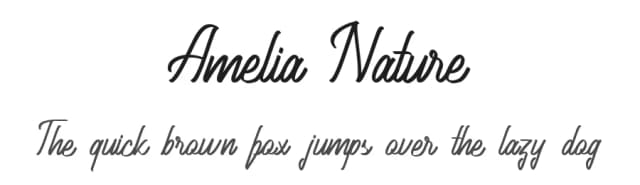

Browse fonts by theme
Curated collections →Saw a font in a picture? Identify any font from an image with our free Font Finder.
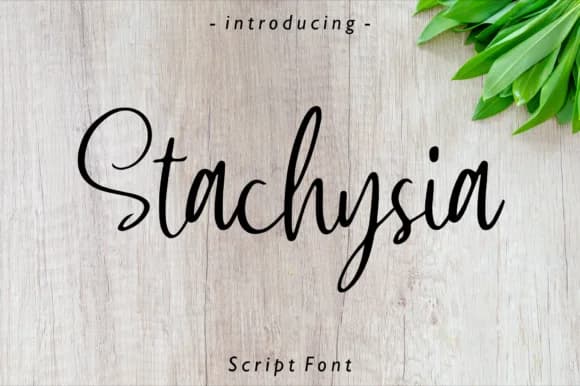
More Script Handwritten Fonts
Browse all →







What pairs well with Berrypop Font?
Berrypop Font is a script font that shines as a display or heading face. Pair it with a clean sans-serif or serif font for body text — the contrast creates a clear hierarchy while the two styles stay balanced and easy to read.



Berrypop Font
by Fype Co.
Reviewed by the FontBoxDL team · Updated June 2026