 Firefox
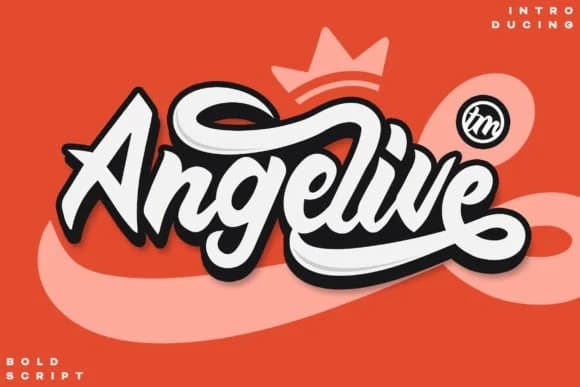 1 / 6
1 / 6About Angelive Font
Angelive captures that handwritten quality where slight irregularities feel intentional rather than accidental, giving each character genuine personality. Designed by Kruweks Studio, this script font brings a distinctly retro character that works just as well on a vintage movie poster as it does on modern branding. With its slightly roughed-up, stamp-like texture and natural pen strokes, it stays readable across sizes and applications.
Vintage-influenced letterforms work beautifully across a range of projects. Wedding invitation suites benefit from its casual elegance and handmade feel, while artisanal product labels gain instant authenticity from the handwritten quality it conveys so naturally. Small-batch packaging for boutique skincare brands or candle makers gains credibility when their goods look genuinely crafted by hand. Restaurant branding and signage carry this kind of character better than polished fonts, and handmade gift tags get that instant charm that screams care. Each letter feels alive rather than sterile or machine-perfect, thanks to the serif hints and natural stroke variation.
This font suits designers building vintage or retro-forward brands, anyone creating packaging that needs to feel artisanal and authentic, and clients seeking that real handwritten voice in their work. Grab Angelive on Creative Fabrica and add genuine character to your next project.
Style & Use Cases
- Overall Style
- Elegant, Flowing, Font Script
- Use Case
- Invitations, Branding
- Ideal For
- wedding stationery, greeting cards, and signatures
- Pairs With
- a simple uppercase sans
How to Install Angelive Font Font
Step-by-step instructions for every platform
- 1Download the Angelive Font font file (.ttf or .otf).
- 2Locate the downloaded file in your Downloads folder.
- 3Right-click the font file.
- 4Select "Install" to install for the current user, or "Install for all users" to make it available system-wide.
- 5Angelive Font is now available in Word, Photoshop, Illustrator, and all other apps.
More by Kruweks Studio
View all →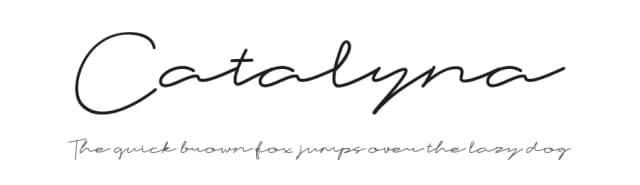
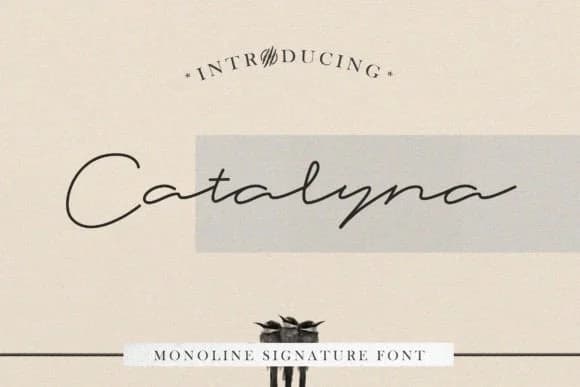

Browse fonts by theme
Curated collections →Saw a font in a picture? Identify any font from an image with our free Font Finder.
More Script Handwritten Fonts
Browse all →







What pairs well with Angelive Font?
Angelive Font is a script font that shines as a display or heading face. Pair it with a clean sans-serif or serif font for body text — the contrast creates a clear hierarchy while the two styles stay balanced and easy to read.



Angelive Font
Reviewed by the FontBoxDL team · Updated September 2026