 Firefox
 1 / 9
1 / 9About Angelica Font by supotype Font
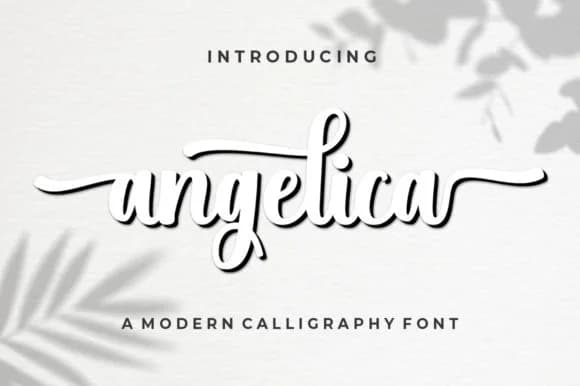
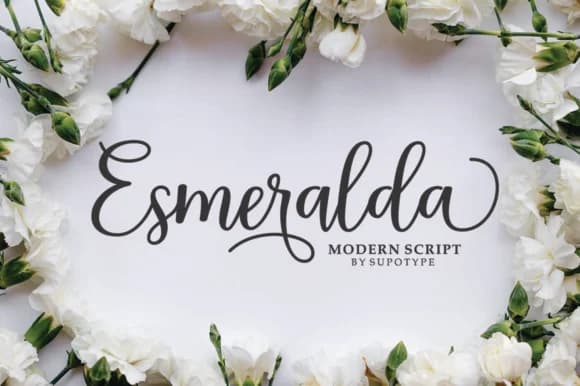
There's something undeniably charming about handwritten letterforms that feel personal and warm. Angelica, created by supotype, is a modern script font with bold strokes and an irregular baseline that captures exactly that feeling. The rhythm of its characters makes it perfect for wedding invitation suites, where a touch of authentic personality matters most. You'll also find it shining on personalized stationery, book cover designs, and branding projects for independent sellers and boutique shops. Social media graphics become more engaging when Angelica adds that hand-drawn quality, especially for lifestyle or creative brands.
What makes this font compelling is how it balances elegance with raw character. The bold weight and organic baseline variations give it real presence on the page, whether you're designing something formal or approachable. The letterforms have enough personality to make designs feel unique, yet they remain readable across different sizes and contexts. That handmade quality works beautifully for craft projects, custom product labels, and any work where authenticity speaks louder than perfection.
Pair Angelica with a clean, modern sans-serif for body text and supporting elements, letting each font do its job without competing. The contrast between Angelica's warmth and a neutral typeface creates something both sophisticated and genuine. Get Angelica on Creative Fabrica and see how it transforms your next project.
Style & Use Cases
- Overall Style
- Elegant, Flowing, Script
- Use Case
- Invitations, Branding
- Ideal For
- wedding stationery, greeting cards, and signatures
- Pairs With
- a simple uppercase sans
How to Install Angelica Font by supotype Font
Step-by-step instructions for every platform
- 1Download the Angelica Font by supotype font file (.ttf or .otf).
- 2Locate the downloaded file in your Downloads folder.
- 3Right-click the font file.
- 4Select "Install" to install for the current user, or "Install for all users" to make it available system-wide.
- 5Angelica Font by supotype is now available in Word, Photoshop, Illustrator, and all other apps.
Browse fonts by theme
Curated collections →Saw a font in a picture? Identify any font from an image with our free Font Finder.
More Script Handwritten Fonts
Browse all →







What pairs well with Angelica Font by supotype Font?
Angelica Font by supotype Font is a script font that shines as a display or heading face. Pair it with a clean sans-serif or serif font for body text — the contrast creates a clear hierarchy while the two styles stay balanced and easy to read.



Angelica Font by supotype Font
by supotype
Reviewed by the FontBoxDL team · Updated September 2026