 Firefox
 1 / 9
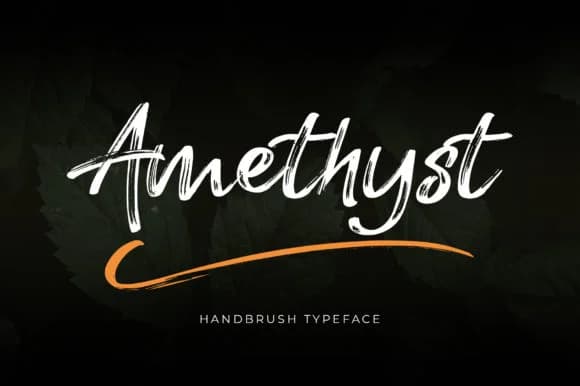
1 / 9About Amethyst Font
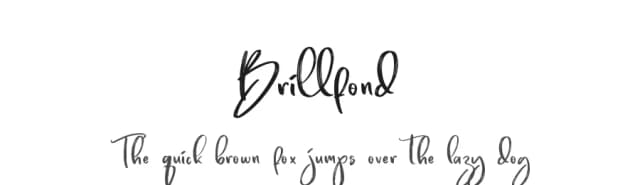
Amethyst Font by lyanatha is a brush script that moves with organic, hand-drawn rhythm and genuine character. The letterforms work beautifully for luxury applications where a personal touch genuinely matters: wedding invitation suites, high-end cosmetics and skincare packaging, restaurant menu cards, and boutique product labels all gain real depth and personality from its slightly imperfect, flowing strokes. The font includes swash alternates and useful variations that add flexibility for headers and decorative moments, letting designers ring changes without falling into repetition or visual monotony.
What makes this script compelling is the way it avoids the sterile, overly-polished look many digital fonts settle into. There's genuine breath in each letterform, a handmade quality that signals real penmanship without requiring you to hand-letter everything yourself from scratch. This balance serves both digital and print work with equal strength: social media graphics read as personal and connected, packaging design carries clear intention and impact, and printed collateral feels considered rather than templated or generic. The flowing letterforms remain readable even at modest sizes, giving you confidence to deploy them across a full range of applications and projects.
Bring this natural warmth to your next project by adding Amethyst Font to your Creative Fabrica collection.
Style & Use Cases
- Overall Style
- Elegant, Flowing, Amethyst
- Use Case
- Invitations, Branding
- Ideal For
- wedding stationery, greeting cards, and signatures
- Pairs With
- a simple uppercase sans
How to Install Amethyst Font Font
Step-by-step instructions for every platform
- 1Download the Amethyst Font font file (.ttf or .otf).
- 2Locate the downloaded file in your Downloads folder.
- 3Right-click the font file.
- 4Select "Install" to install for the current user, or "Install for all users" to make it available system-wide.
- 5Amethyst Font is now available in Word, Photoshop, Illustrator, and all other apps.
More by lyanatha
View all →
Browse fonts by theme
Curated collections →Saw a font in a picture? Identify any font from an image with our free Font Finder.
More Script Handwritten Fonts
Browse all →







What pairs well with Amethyst Font?
Amethyst Font is a script font that shines as a display or heading face. Pair it with a clean sans-serif or serif font for body text — the contrast creates a clear hierarchy while the two styles stay balanced and easy to read.



Amethyst Font
by lyanatha
Reviewed by the FontBoxDL team · Updated September 2026