 Firefox
 1 / 8
1 / 8About Agatha Font by Skiiller Studio Font
Confident and refined, Agatha Font by Skiiller Studio strikes that rare balance between minimal and bold. This script moves with intention, letting negative space breathe while each letter commands genuine attention. It's the kind of typeface that whispers rather than shouts, but you hear it anyway.
The minimalist approach makes Agatha work beautifully across wedding invitation suites where elegance matters far more than fussy ornamentation. It pairs just as well with boutique cosmetic packaging and jewelry branding, where restraint signals true luxury. Social media headers and Instagram story overlays benefit from its distinct personality without overwhelming the imagery behind it. Event signage and personalized greeting cards also become far more memorable with Agatha handling the primary text, adding warmth without chaos.
Its clean letterforms stay readable across different sizes and contexts without losing character or personality. Pair Agatha with a light, neutral sans-serif like Proxima Nova or Open Sans for body copy, which lets the script dominate as a headline voice. The contrast between its confident style and straightforward letterforms creates natural visual hierarchy that readers instinctively follow. Grab Agatha on Creative Fabrica and discover how understatement becomes its own distinctive form of impact.
Style & Use Cases
- Overall Style
- Elegant, Flowing, Agatha
- Use Case
- Invitations, Branding
- Ideal For
- wedding stationery, greeting cards, and signatures
- Pairs With
- a simple uppercase sans
How to Install Agatha Font by Skiiller Studio Font
Step-by-step instructions for every platform
- 1Download the Agatha Font by Skiiller Studio font file (.ttf or .otf).
- 2Locate the downloaded file in your Downloads folder.
- 3Right-click the font file.
- 4Select "Install" to install for the current user, or "Install for all users" to make it available system-wide.
- 5Agatha Font by Skiiller Studio is now available in Word, Photoshop, Illustrator, and all other apps.
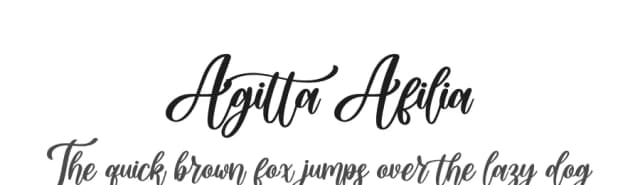
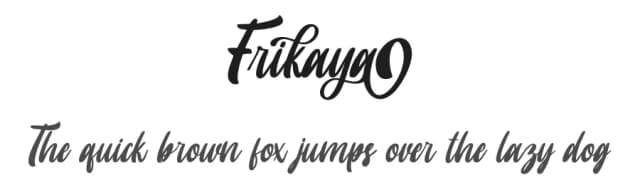
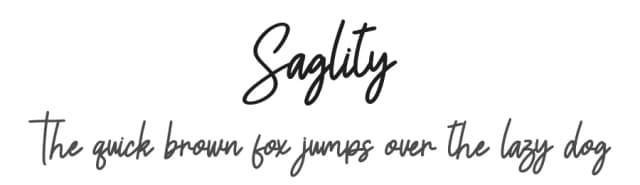
More by Skiiller Studio
View all →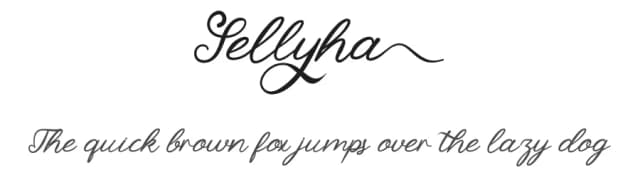
Browse fonts by theme
Curated collections →Saw a font in a picture? Identify any font from an image with our free Font Finder.
More Script Handwritten Fonts
Browse all →







What pairs well with Agatha Font by Skiiller Studio Font?
Agatha Font by Skiiller Studio Font is a script font that shines as a display or heading face. Pair it with a clean sans-serif or serif font for body text — the contrast creates a clear hierarchy while the two styles stay balanced and easy to read.



Agatha Font by Skiiller Studio Font
Reviewed by the FontBoxDL team · Updated September 2026