
 1 / 5
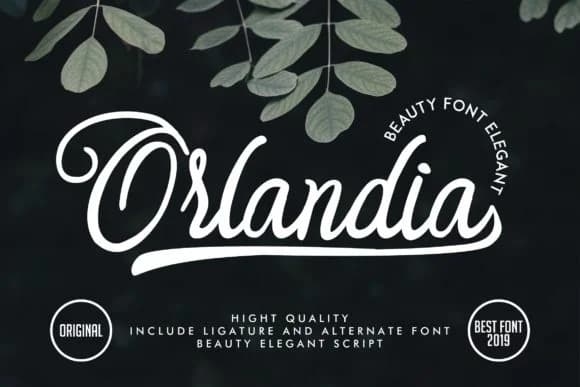
1 / 5About Orlandia Font
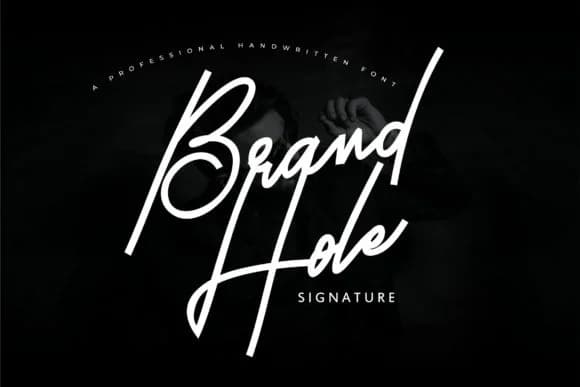
Orlandia has an elegant, flowing quality that brings genuine personality without pretension. Created by Vunira, this handwritten script captures the warmth of actual penmanship while maintaining the polish that luxury brands demand. The letterforms move with a natural rhythm, giving projects that handcrafted feel clients increasingly want.
Wedding invitation suites benefit immediately from this script's refined curves and careful letterforms. Boutique skincare and cosmetics packaging uses similar typefaces to signal artisanal quality and attention to detail on the shelf. Beyond that, you'll see Orlandia work brilliantly for upscale restaurant menus and wine label design, where handwritten typography suggests both care and tradition in ways that typed letterforms simply can't. Personalized greeting card designs, bespoke branding projects, and high-end packaging for jewelry or luxury goods all find the right partner in this font. The real strength lies in its balance: it doesn't sacrifice legibility for flourish, and it functions equally well as a striking display element or as something that can subtly anchor a design's overall personality.
Pair Orlandia with a clean, modern sans-serif for body text or supporting elements, allowing the script to take focus where it matters most. Get this handwritten font on Creative Fabrica and bring authentic personality to your next project.
Style & Use Cases
- Overall Style
- Elegant, Flowing, Orlandia
- Use Case
- Invitations, Branding
- Ideal For
- wedding stationery, greeting cards, and signatures
- Pairs With
- a simple uppercase sans
How to Install Orlandia Font Font
Step-by-step instructions for every platform
- 1Download the Orlandia Font font file (.ttf or .otf).
- 2Locate the downloaded file in your Downloads folder.
- 3Right-click the font file.
- 4Select "Install" to install for the current user, or "Install for all users" to make it available system-wide.
- 5Orlandia Font is now available in Word, Photoshop, Illustrator, and all other apps.
Browse fonts by theme
Curated collections →Saw a font in a picture? Identify any font from an image with our free Font Finder.
More Script Handwritten Fonts
Browse all →







What pairs well with Orlandia Font?
Orlandia Font is a script font that shines as a display or heading face. Pair it with a clean sans-serif or serif font for body text — the contrast creates a clear hierarchy while the two styles stay balanced and easy to read.



Orlandia Font
by Vunira
Reviewed by the FontBoxDL team · Updated August 2026