
 1 / 8
1 / 8About Magic Bunny Font
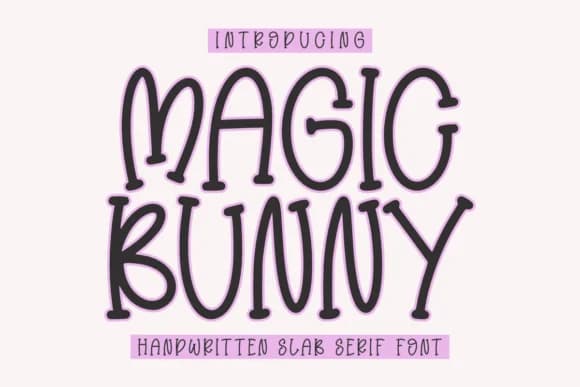
Magic Bunny by CraftedType Studio is a playful slab serif with genuine warmth in its rounded, chunky letterforms. This typeface reads as thoughtfully designed rather than merely whimsical, bringing character to projects where personality drives the work forward. Baby shower invitation suites, daily planner spreads, journal cover designs, and custom notepad covers all shine with its friendly presence. The typeface transitions smoothly between digital and print applications, adapting to both screens and tactile projects while maintaining its distinctive voice throughout.
For screen-based work, it handles Canva template layouts and Instagram post graphics with exceptional clarity and visual charm. The letterforms scale beautifully for both headline and body applications across these platforms. On the physical side, its consistent weight and carefully considered spacing make it ideal for laser-cut sign projects and activity book page headers. Envelope addressing, ebook chapter headers, and other detail-oriented design work all benefit from its legible, purposeful construction. Unlike fonts that try to serve every possible purpose, Magic Bunny excels when you're aiming to establish a specific mood and recognizable design voice. If you're ready to add genuine personality to your growing font library, grab Magic Bunny from Creative Fabrica.
Style & Use Cases
- Overall Style
- Sturdy, Confident, Activity Book
- Use Case
- Headlines, Merch
- Ideal For
- vintage posters, logos, and product packaging
- Pairs With
- a light sans-serif
How to Install Magic Bunny Font
Step-by-step instructions for every platform
- 1Download the Magic Bunny font file (.ttf or .otf).
- 2Locate the downloaded file in your Downloads folder.
- 3Right-click the font file.
- 4Select "Install" to install for the current user, or "Install for all users" to make it available system-wide.
- 5Magic Bunny is now available in Word, Photoshop, Illustrator, and all other apps.
More by CraftedType Studio
View all →



Browse fonts by theme
Curated collections →Saw a font in a picture? Identify any font from an image with our free Font Finder.
More Slab Serif Fonts
Browse all →







What pairs well with Magic Bunny Font?
Magic Bunny Font is a slab serif font that shines as a display or heading face. Pair it with a clean sans-serif or serif font for body text — the contrast creates a clear hierarchy while the two styles stay balanced and easy to read.



Magic Bunny Font
Reviewed by the FontBoxDL team · Updated August 2026