
 1 / 8
1 / 8About Laminate Font
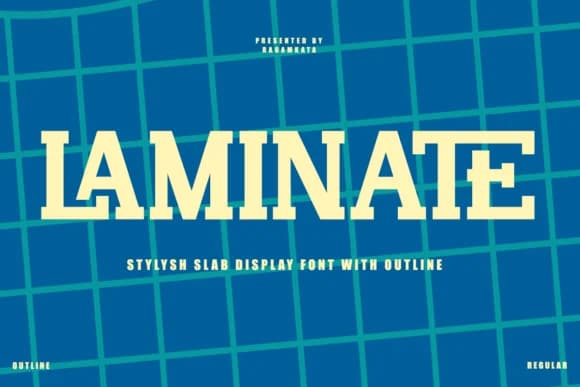
Laminate by RagamKata Studio is a bold slab serif with genuine retro character, drawing its visual voice from the high-contrast typography that defined 1980s and '90s pop culture. The chunky serifs and sturdy letterforms carry immediate visual weight, commanding attention on any layout without feeling forced. This is a display typeface engineered for genuine impact, backed by the kind of structural strength that reads clear at any scale.
What makes Laminate perform so effectively in practice? Its weight and proportion suit eye-catching applications naturally. Think vinyl record sleeve designs, restaurant menus that carry personality, vintage-inspired apparel branding, or even hand-painted signage mockups. The retro flavor translates equally well in a modern context where nostalgia carries weight, or paired authentically with era-correct design sensibilities. Graphic designers reach for slab serifs specifically when they need a typeface that feels both approachable and commanding, and Laminate delivers on both fronts.
From poster-scale headlines to compact logo marks, the typeface holds its distinctive character across any size. If you want a display typeface that channels the raw energy of classic graphic design while holding its own alongside contemporary work, Laminate offers exactly that without pretension. Grab it on Creative Fabrica and let it anchor your next design.
Style & Use Cases
- Overall Style
- Sturdy, Confident, Slab
- Use Case
- Headlines, Merch
- Ideal For
- vintage posters, logos, and product packaging
- Pairs With
- a light sans-serif
How to Install Laminate Font
Step-by-step instructions for every platform
- 1Download the Laminate font file (.ttf or .otf).
- 2Locate the downloaded file in your Downloads folder.
- 3Right-click the font file.
- 4Select "Install" to install for the current user, or "Install for all users" to make it available system-wide.
- 5Laminate is now available in Word, Photoshop, Illustrator, and all other apps.
More by RagamKata Studio
View all →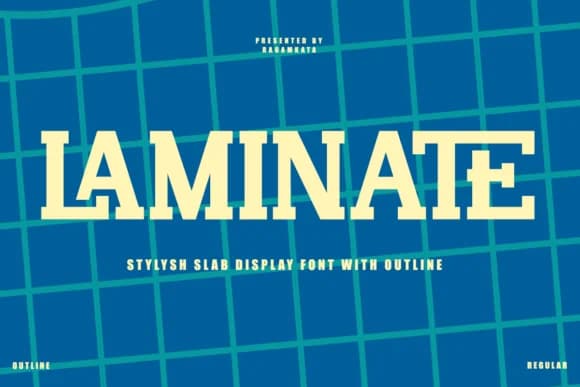


Browse fonts by theme
Curated collections →Saw a font in a picture? Identify any font from an image with our free Font Finder.
More Slab Serif Fonts
Browse all →







What pairs well with Laminate Font?
Laminate Font is a slab serif font that shines as a display or heading face. Pair it with a clean sans-serif or serif font for body text — the contrast creates a clear hierarchy while the two styles stay balanced and easy to read.



Laminate Font
Reviewed by the FontBoxDL team · Updated August 2026